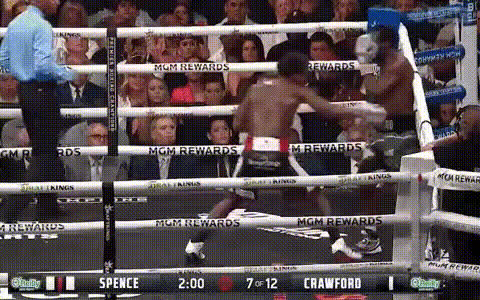
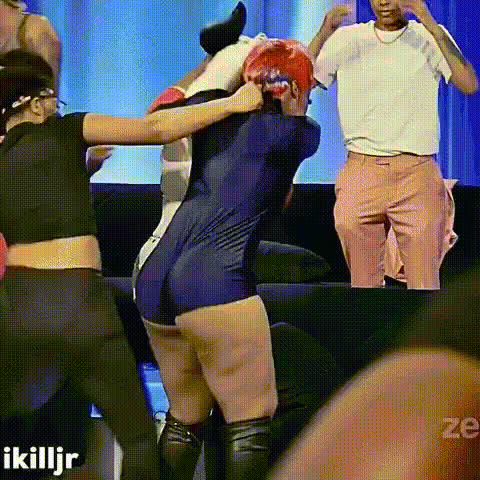
Bloodsport 1988 Karate Brick Scene

face-swap

1 clip
0 uses

Any aspect ratio

Tags

bloodsport

Face Swap Video Template – Create Studio‑Quality Swaps in Minutes

Use this template to instantly turn any clip into a clean, realistic face swap video. It’s powered by Magic Hour’s production‑grade Face Swap engine, so you get sharp details, consistent expressions, and natural motion without deepfake‑tool complexity.

This template is ideal for:

  • Creators testing concepts and characters before full productions
  • Marketers producing fast A/B variants of ads with different talent
  • Startup teams prototyping features, product videos, and social content
  • Agencies building repeatable workflows for UGC, influencers, and brand spokespeople

What This Template Does

This Face Swap Video template lets you:

  • Replace a person’s face in a video with a single reference face (photo or frame)
  • Keep original motion and expressions while updating identity
  • Maintain lighting and perspective for a more believable result
  • Export in share‑ready formats for social, product demos, ads, and presentations

Under the hood, it uses the same underlying model stack that powers:

So anything you build with this template can plug into broader Magic Hour workflows for image, video, and voice.


How to Remix This Template in Magic Hour

You can use this template as‑is, or treat it as a starting point and remix it to fit your pipeline.

1. Start from the Face Swap Video Template

  1. Open Face Swap Video.
  2. Upload your base video – the clip where you want to replace the face.
  3. Upload your source face – this can be:

You now have a working instance of the template that you can customize and reuse.

2. Create Variants and Custom Flows

Remix ideas for power users:

  • Campaign variants

    • Swap in several different faces (e.g., multiple creators or personas).
    • Export multiple versions of a single base video to test performance across channels.
  • Character pipelines

  • Talking avatars and explainers

    • Generate or shoot a neutral “host” video once.
    • Use this template to swap in different faces for markets, languages, or brands.
    • Combine with Lip Sync and AI Voice Generator to localize content without full reshoots.
  • Product & fashion try‑ons

When you finish a version you like, you can duplicate that project inside Magic Hour and treat it as your own internal “micro‑template” for future work.


Example Workflows for Creators and Teams

For Creators & Influencers

  • Content experiments:

    • Test new on‑camera personas or styles without committing to a full rebrand.
    • Use AI Selfie Generator to create stylized versions of yourself, then swap them into your standard video formats.
  • UGC & collaboration:

    • Rapidly prototype “guest appearances” by swapping collaborators’ faces into your existing footage (with consent).
    • Use AI Meme Generator plus Face Swap GIF for short, shareable loops, then build longer edits with this template.

For Marketers & Growth Teams

  • Ad localization and personalization:

    • Film or generate one master video.
    • Swap faces to align with different markets or audiences.
    • Pair with AI Voice Cloner and AI Voice Changer to adapt voiceovers while keeping structure and messaging identical.
  • Performance creative testing:

    • Create a “base ad” and maintain script, pacing, and framing.
    • Swap in different on‑screen talent or avatars.
    • Use Auto Subtitle Generator and Thumbnail Maker for complete, test‑ready variations.

For Developers & Product Teams

  • Feature prototyping:

    • Use this template to simulate user‑facing face swap features for demos and investor decks.
    • Combine with Text to Video or AI Talking Photo to stand up end‑to‑end “AI avatar” flows before full integration.
  • Synthetic dataset generation:

    • Vary identities while holding motion constant for internal research, concept testing, or UI/UX explorations.
    • Clean up frames or source faces with AI Image Editor and AI Image Upscaler for better training visuals and mockups.

Connecting Face Swap with Other Magic Hour Tools

This template is most powerful when it’s part of a larger Magic Hour stack:

By chaining these tools with the Face Swap Video template, you can go from concept → designed character → animated video → localized, face‑swapped variants in a single environment.


Best Practices and Ethical Use

Face swap technology is powerful and should be used thoughtfully. When using or remixing this template:

  • Get consent from anyone whose face you use.
  • Avoid impersonation or misleading content in commercial, political, or sensitive contexts.
  • Disclose AI use where appropriate (e.g., sponsored content, ads, or editorial work).
  • Respect platform policies on deepfakes and synthetic media (YouTube, TikTok, Meta, etc. publish evolving guidelines).

For reputable context and evolving best practices, see:

  • Partnership on AI’s work on responsible synthetic media
  • Major platform policies on “digitally altered or synthetic content” and disclosure

Building with guardrails not only protects your brand and users; it also makes your work more durable as regulations and platform rules tighten.


Ways to Extend This Template

Once you’re comfortable with the core face swap flow, you can:

Save each configuration as a separate project in Magic Hour, so your team can quickly reuse and adapt previous work instead of rebuilding from scratch.


Get Started

  1. Go to Face Swap Video.
  2. Upload your base video and source face.
  3. Preview, iterate, and export.
  4. Duplicate the project to turn your setup into your own internal template.

Use this Face Swap Video template as the backbone of a modular, AI‑assisted production pipeline that’s fast enough for experimentation and robust enough for real campaigns and products.

More Like This