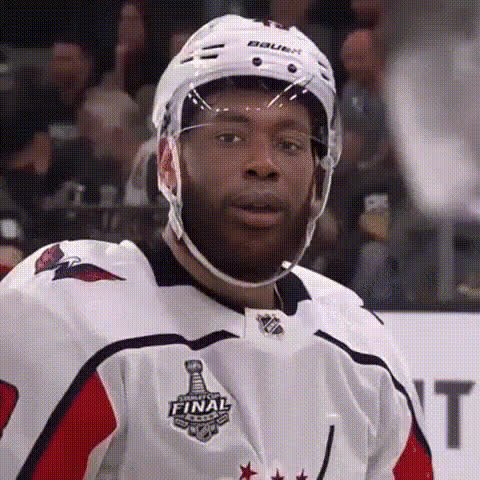
Skating on Ice Lake
face-swap
Any aspect ratio
Skating on Ice Lake – Face Swap Video Template
Turn a cinematic ice lake scene into a personalized, on-brand video in minutes. The “Skating on Ice Lake” template combines high-quality animation with Magic Hour’s AI Face Swap engine so you can drop yourself, your cast, or your characters directly into a wintery, atmospheric sequence—without a production crew, cameras, or VFX.
This page walks through what the template does, when to use it, and exactly how to remix it inside Magic Hour.
What This Template Is Best For
- Personalized promos & ads – Put customers, creators, or your spokesperson on the ice to announce launches, sales, or events.
- Social content – Short, shareable clips for TikTok, Instagram, YouTube Shorts, or X that look “big budget” but are AI‑generated.
- Brand storytelling – Openers, bumpers, or interludes for podcasts, YouTube channels, or product videos.
- Community & fan content – Turn your community members or characters into skaters for UGC campaigns, contests, or fandom edits.
The scene is designed as a calm, cinematic ice lake—ideal for themes like focus, reflection, winter, holidays, or “new beginnings.”
How the Face Swap Works
The template is powered by Magic Hour’s production‑grade AI Face Swap system, built to preserve:
- Facial identity – Recognizable eyes, nose, and mouth, even across different lighting and angles.
- Expression & motion – The skater’s expressions, head turns, and micro‑movements are re‑projected onto the new face.
- Lighting & perspective – Skin tone and shading adapt to the scene to avoid “pasted on” faces.
Behind the scenes, Magic Hour uses deep learning models similar to state‑of‑the‑art face reenactment and identity‑preserving techniques (see, for example, research like FSGAN and Neural Head Avatars), but packaged in a way that is fast and accessible to non‑technical creators.
For more advanced face editing workflows, you can also combine this template with:
- AI Face Editor – Subtle face adjustments before or after swapping.
- AI Headshot Generator – Generate clean, front‑facing reference photos for higher‑quality swaps.
- AI Face Generator – Create fully synthetic faces if you don’t want to use real identities.
How to Remix This Template in Magic Hour
You can build your own version of “Skating on Ice Lake” by starting from Magic Hour’s Face Swap Video template and layering in your assets.
Step‑by‑Step Remix Workflow
- Start with Face Swap Video
Go to Face Swap Video and start a new project. This is the core workflow used by the “Skating on Ice Lake” template. - Upload your base video
Use:- The original “Skating on Ice Lake” clip (if available in your library), or
- Any skating / motion shot you like—stock footage, your own recording, or a video generated via:
- Image to Video (turn a still lake image into a moving shot).
- Video to Video (stylize an existing skating video into a more painterly or animated look).
- Prepare high‑quality face images
For best results, use:- Clear, front‑facing portraits with good lighting.
- Neutral expressions (smile is fine, but avoid extreme poses or heavy filters).
- AI Selfie Generator – On‑brand selfies for creators or influencers.
- Avatar Generator – Cartoon or stylized faces for more playful versions.
- Apply the face swap
In the Face Swap Video flow, pair:- Your base skating video (or the Ice Lake base scene).
- The face image(s) you want to appear on the skater.
- Refine visuals (optional)
Before or after face swapping, you can:- Touch up frames with the AI Image Editor (remove distractions, tweak colors, adjust details).
- Remove unwanted objects using the Remove Object from Photo tool for background stills.
- Upscale your final export with the Video Upscaler for crisp delivery on large screens.
- Add motion, lip sync, or narrative layers
To build more complex Ice Lake variations:- Lip Sync – Turn the skater into a speaking character for announcements or narratives.
- AI Talking Photo – Create talking head segments that cut to and from the ice skating shot.
- Text to Video – Generate additional winter or landscape scenes from script prompts and intercut with the skating clip.
- Animation – Build fully animated variations (e.g., 2D, anime, or stylized versions of the same scene).
- Polish for publishing
To make the output production‑ready:- Color‑correct older or off‑tone stills with Photo Colorizer.
- Clean up noisy or blurry source images via Unblur Image and AI Image Upscaler.
- Use Auto Subtitle Generator to make short social versions accessible and more engaging.
Creative Use Cases & Ideas
- Seasonal campaigns – Swap in your brand mascot, founder, or key character for holiday / New Year “skating into the future” themes.
- Onboarding & product tours – Start product walkthroughs with a short, symbolic Ice Lake opener (e.g., “smooth onboarding” or “gliding through complexity”).
- Internal culture content – Drop your teammates onto the ice for all‑hands intros, offsite recaps, or morale videos.
- Fan or customer spotlights – Invite users to submit photos, then send them a personalized Ice Lake clip as a reward or community token.
For meme‑driven or humorous variants, combine the template with:
- AI Meme Generator – Overlay meme‑style captions on the skating sequence.
- Face Swap GIF – Export shorter GIF loops for chats, Discord, or email.
- AI GIF Generator – Create fast‑loading Ice Lake reaction GIFs.
Quality, Realism, and Performance
To keep the “Skating on Ice Lake” results looking natural and on‑brand:
- Use sharp, well‑lit face images – Blurry or heavily filtered selfies reduce the model’s ability to preserve identity.
- Match general angle and pose – Forward‑facing source images work best for skaters looking roughly toward the camera.
- Align style – If the Ice Lake scene is stylized (e.g., painterly, anime), consider generating stylized faces via:
Creators often pair the Face Swap template with the Image Background Remover or AI Background Generator to quickly build complementary stills and thumbnails around the video.
Ethics, Permissions, and Brand Safety
AI face swapping is powerful. For responsible use:
- Get consent – Only use real people’s faces when you have their permission, especially for commercial work.
- Follow platform guidelines – Major platforms (YouTube, TikTok, Instagram) are increasingly specific about synthetic media and deepfakes. Label AI‑generated content where applicable.
- Use synthetic identities when needed – If you want to avoid real likenesses, generate characters via AI Character Generator or Full Body Generator and then animate them.
Related Magic Hour Tools for Advanced Workflows
To build a full “winter universe” around the Skating on Ice Lake scene, many teams also use:
- Thumbnail Maker – Design high‑CTR thumbnails featuring your swapped skater.
- Book Cover Generator – Create cover art or key visuals with the same character and setting.
- AI Voice Generator and AI Voice Cloner – Give your skater a distinct, consistent voice across videos.
- AI Voice Changer – Adjust existing voiceovers to match characters or demographics.
Who This Template Is For
This template is optimized for:
- Creators & influencers – Need repeatable, high‑impact visuals without a production team.
- Marketers & growth teams – Want fast A/B tests of creative concepts with personalized faces and narratives.
- Product & startup teams – Use the Ice Lake scene as a polished intro/outro layer on top of demos or product explainers.
- Developers & technical founders – Looking to understand what’s possible with modern AI video and integrate it into content pipelines or tools.
Get Started
1. Open the Face Swap Video creator.
2. Upload your skating / Ice Lake base video and the faces you want to feature.
3. Generate, review, and optionally enhance with tools like Video Upscaler and Auto Subtitle Generator.
4. Export, publish, and iterate.
The “Skating on Ice Lake” face swap template gives you a reusable, cinematic building block you can remix endlessly—across campaigns, brands, and stories—inside the Magic Hour ecosystem.