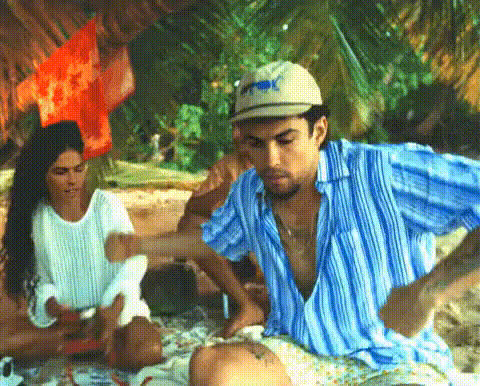
Teen Beach Cruisin' For a Bruisin
face-swap
Any aspect ratio
Tags
moviesTeen Beach “Cruisin’ for a Bruisin’” Face Swap Video Template
Create your own high‑energy “Cruisin’ for a Bruisin’” dance video from Teen Beach Movie with AI‑powered face swap. This Magic Hour template lets you drop your face (or your friends’, team, or customers) onto the dancers in seconds, then export a polished, share‑ready video for TikTok, Instagram Reels, YouTube Shorts, or campaigns.
What This Template Does
This template uses Magic Hour’s AI Face Swap technology on top of the “Cruisin’ for a Bruisin’” dance performance. You bring:
- Your reference face photos (you, friends, coworkers, characters, influencers)
- Your source video (a dance clip, performance, or reference choreography)
Magic Hour handles the rest: realistic face replacement, lighting and angle matching, and smooth video rendering—all in the browser.
Core Use Cases
- Creators & influencers: Turn classic Disney Channel choreography into face‑swapped skits, reaction content, or parody dance challenges.
- Marketers & brands: Drop mascots, founders, or customers onto the dancers to promote events, launches, or summer campaigns.
- Product & growth teams: Rapidly prototype ad creatives, A/B test different faces or characters, and generate social assets without a shoot.
- Developers & startup builders: Validate AI‑video concepts, demos, or internal tools using a recognizable, high‑energy dance reference.
Quick Start: How to Remix This Template in Magic Hour
You can recreate or remix this template using Magic Hour’s Face Swap Video workflow:
- Open Face Swap Video
Go to Face Swap Video. This is where you’ll upload your base dance video and face images. - Upload your “Cruisin’ for a Bruisin’” style clip
Use a performance video that matches the vibe of “Cruisin’ for a Bruisin’” (high‑energy, clear faces, good lighting). Public tutorials and fan choreography breakdowns for the song are widely available on YouTube—search for “Cruisin’ for a Bruisin dance tutorial” to find step‑by‑step breakdowns of the routine. - Add the faces you want to swap in
Upload high‑quality, front‑facing photos of each person or character you want in the video. For best results, use:- Sharp, well‑lit photos with neutral or simple backgrounds
- Faces looking roughly toward the camera
- One image per identity you plan to use in the swap
- Assign faces to dancers
Map each uploaded face to one or more dancers in the video. You can keep it simple (everyone becomes the same person) or designate different faces for each performer to create ensemble casts. - Generate and review
Let Magic Hour process the video. Watch the result, tweak your face selection or source video if needed, and regenerate until you’re happy. - Export & share
Download your finished clip and publish it on TikTok, Instagram Reels, YouTube Shorts, or embed it in landing pages, newsletters, and campaigns.
Disney’s “Cruisin’ for a Bruisin’”: Context & Inspiration
“Cruisin’ for a Bruisin’” appears in the 2013 Disney Channel Original Movie Teen Beach Movie, a musical comedy that blends 1960s surf‑rock aesthetics with modern teen storytelling. The song is known for its tightly synchronized choreography, retro styling, and call‑and‑response lyrics, making it a favorite for dance covers and social media recreations.
Over the last decade, the choreography has been recreated in:
- YouTube dance tutorials and breakdowns (with step‑by‑step teaching for beginners)
- TikTok and Instagram trends where groups recreate the routine or remix it with new styles
- Fan edits, cosplay performances, and mashups with other dance trends
By combining that recognizable choreography with AI face swap, you get a format that’s familiar to viewers but personalized to your brand, characters, or community.
Beyond This Template: Other Magic Hour Tools to Supercharge Your Remix
You can extend or customize this template using other Magic Hour tools:
- Swap different performances: Use Video to Video to stylize or transform your base dance clip before you apply face swap—e.g., make your “Cruisin’ for a Bruisin’” routine look like an animated or stylized performance.
- Make talking intros/outros: Use AI Talking Photo to create intro segments where a character “introduces” the dance or explains the challenge.
- Create matching character art: Design stylized dancers or avatars with:
- Generate on‑brand thumbnails & covers: Turn your finished video into a package:
- Create eye‑catching covers with the Thumbnail Maker and Album Cover Generator.
- Design campaign visuals with the AI Image Generator and AI Art Generator.
- Improve and clean source images:
- Sharpen and enhance faces with the Unblur Image tool and AI Image Upscaler.
- Remove distractions using the Remove Object from Photo tool and Watermark Remover.
- Turn stills into motion: If you only have photos of your cast, you can:
- Use Image to Video to animate them into short clips.
- Combine with Animation workflows to create stylized dance sequences.
- Create alternate meme cuts: Turn your dance into playful memes or reaction formats using the AI Meme Generator and GIF Face Swap.
Practical Tips for High‑Quality Face Swap Dance Videos
- Use clear, expressive faces: Source images with good lighting, visible eyes, and minimal motion blur lead to more natural‑looking swaps.
- Match angles where possible: If your dancer is mostly facing forward, choose front‑facing photos. For more dynamic choreography with turns, use a couple of different reference photos per person.
- Keep your base video clean: Avoid heavy occlusions (hands constantly covering faces) and extreme low light. The clearer the performers’ faces, the better the AI can track and replace them.
- Think in terms of formats: If your primary channel is TikTok or Reels, plan for vertical framing and 15–30 second highlights rather than full‑length cuts.
- Iterate quickly: AI video is cheap to iterate. Generate multiple variants—different faces, intros, or meme overlays—and test which performs best with your audience.
Ethics, Rights, and Responsible Use
When using AI face swap, keep in mind:
- Consent: Only use faces of people who have given you explicit permission, or characters you have the rights to use.
- Copyright: Respect the rights associated with the original Teen Beach Movie footage, choreography, and music. This template is for creating transformative, parody, or fan‑style content—always follow the rules of the platforms where you publish.
- Transparency: For brands and campaigns, it’s often good practice to disclose when content was generated or altered with AI.
Why Use Magic Hour for “Cruisin’ for a Bruisin’”‑Style Content?
- Production‑grade AI face swap designed to handle fast movement, group choreography, and expressive faces.
- A full creative stack beyond face swap: image editing, video enhancement, character generation, memes, talking photos, and more—so you can ship entire campaigns from one place.
- Built for builders: Ideal for creators, marketers, and startups who need repeatable, remixable templates they can adapt into new formats and experiments.
Next Steps
To build your own version of the “Teen Beach Cruisin’ for a Bruisin’” template:
- Open Face Swap Video.
- Upload your dance clip inspired by “Cruisin’ for a Bruisin’”.
- Add your faces, generate, and iterate.
- Optionally, enhance, animate, or package with other Magic Hour tools listed above.
Use this as a base, then keep remixing—swap in different songs, characters, outfits, or visual styles to build a whole series of AI‑powered dance videos for your audience.