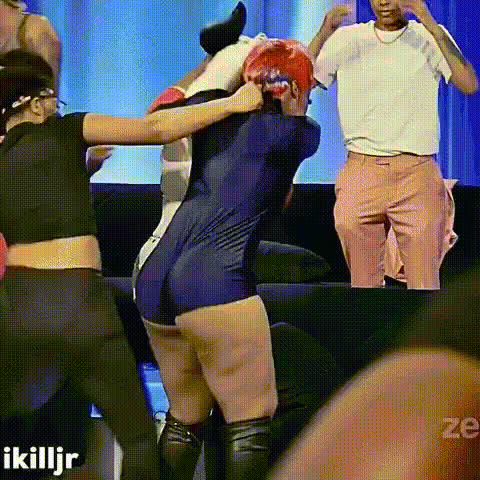
Wonder Woman 2 Fight Scene

face-swap

1 clip
0 uses

Any aspect ratio

AI Face Swap Template for Video

Swap faces in any video in seconds, with production‑ready quality. This template is powered by Magic Hour’s advanced AI Face Swap engine and is built for creators, marketers, and product teams who need fast, reliable, and repeatable results.

Use this template to:

  • Replace an actor or presenter in existing footage without reshooting
  • Localize campaigns by swapping talent per region, language, or audience
  • Prototype and test concepts for ads, UGC, and social content at low cost
  • Create consent‑based, “deepfake‑style” edits for entertainment and education
  • Personalize product experiences (e.g., “put yourself in the video” flows)

What This Face Swap Template Does

This template uses the Face Swap Video Creator to automate end‑to‑end AI face replacement in video. Under the hood, Magic Hour’s face‑swap pipeline typically:

  • Detects and tracks faces across frames in your target video
  • Aligns the new face to pose, angle, and expression of the original subject
  • Blends skin tones, lighting, and texture for a natural, consistent result
  • Maintains camera motion, background, and scene composition
  • Exports a ready‑to‑share video that works across social, web, and product surfaces

Because it’s built on Magic Hour’s core Face Swap engine, you benefit from:

  • High‑fidelity identity preservation across the entire clip
  • Natural skin textures and more realistic facial expressions
  • Reduced artifacts under common motions like talking, turning, and walking
  • Support for a wide range of content types: talking‑head, product demos, interviews, explainers, and short‑form social video

How to Remix This Template in Magic Hour

You can fork and customize this template in a few minutes inside Magic Hour. The idea is to treat it as a reusable building block for your own “face‑swap pipeline.”

1. Start from the Face Swap Video template

Go to the Face Swap Video Creator to launch this template. Use it as a base, then iterate on:

  • Which videos you upload (ads, UGC, product demos, training content)
  • Which faces you use (talent, founders, influencers, synthetic personas)
  • How you chain this step with other Magic Hour tools (e.g., lip sync, video restyling)

2. Add your source materials

For most workflows, you only need two inputs:

  • Target video – the footage whose body, motion, and scene you want to keep
  • Source face – a face image or video you want to place on the subject

Best‑practice guidelines for higher quality and more stable swaps:

  • Use a clear, front‑facing source image with neutral or soft expression
  • Prefer even, natural lighting and avoid heavy shadows or color casts
  • Minimize obstructions: no sunglasses, heavy filters, or extreme makeup, if possible
  • Keep the resolution reasonably high so the model can capture fine details
  • For professional use, make sure you have explicit consent and rights to all faces and footage, including talent, employees, and UGC

3. Customize for your use case

Inside the Face Swap Video Creator, you can adapt the template to your workflow by:

  • Swapping a face across the full video or selectively focusing on specific shots
  • Testing multiple faces on the same base video to compare performance in campaigns
  • Exporting multiple versions for A/B testing thumbnails, hooks, and ad variations
  • Iterating quickly on creative concepts before committing to full production

4. Chain with other Magic Hour templates and tools

For more advanced pipelines, you can use this face swap template as the first step and then:

  • Lip Sync – make the swapped face speak new audio (voiceovers, localized scripts, dynamic messaging)
  • Video to Video – restyle or re‑render the face‑swapped video (e.g., stylized ads, cinematic looks, branded filters)
  • Animation – turn the swapped character into a stylized or animated version for mixed live‑action/animation content
  • Combine with Video Upscaler to sharpen the final result for high‑resolution placements

Example Use Cases

Marketing & Growth

  • Localize a single hero video by swapping in region‑specific talent or influencers
  • Test multiple “presenters” or personas in paid ads, landing pages, and onboarding flows without booking new shoots
  • Create multiple founder‑led or expert‑led versions of explainers for different segments (SMB vs. enterprise, new vs. existing customers)
  • Generate dynamic creative for performance marketing by systematically varying faces, styles, and intros

Product & UX

  • Prototype “see yourself in this story” or “be the hero” experiences for fintech, education, gaming, wellness, and social apps
  • Create user‑specific previews (e.g., trying on roles, scenarios, or content formats) with synthetic or real faces
  • Use synthetic, compliant personas for demos and product tours instead of real customer data

Creators, Studios & Media

  • Recast scenes for parody, commentary, or satire with clear labeling and consent
  • Insert yourself or collaborators into famous scenes for educational breakdowns or reaction content
  • Experiment with new characters using the AI Character Generator, then bring them into live‑action footage via face swap
  • Prototype episodic content or series concepts with different leads before full‑scale production

Internal Enablement & Training

  • Standardize training videos across regions by swapping in local trainers or leaders
  • Quickly update evergreen content when spokespeople change roles or leave
  • Produce role‑specific training variants (e.g., sales, support, operations) from the same base footage

Recommended Magic Hour Tools to Pair With This Template

For teams building serious creative or product pipelines, this face‑swap template works best when combined with other Magic Hour tools.

  • 1. Prep and generate faces

    • AI Face Generator – create fully synthetic faces for privacy‑ and compliance‑friendly campaigns
    • AI Headshot Generator – produce consistent, studio‑style headshots for use as source faces
    • AI Selfie Generator – generate stylized or enhanced selfies (e.g., brand‑aligned looks) to feed into face swap
    • AI Face Editor – fine‑tune age, style, and attributes of a face before using it in video
  • 2. Clean up and refine imagery

    • AI Image Editor – adjust lighting, remove distractions, and refine details on source faces
    • AI Image Upscaler – improve low‑res source images to get sharper face‑swap results
    • Unblur Image – recover faces from slightly blurred or soft photos before using them as inputs
    • AI Object Remover – remove glasses, minor obstructions, or background clutter if needed
  • 3. Enhance or transform the final video

    • Image to Video – start from a still face or character and turn it into motion video before or after swapping
    • Text to Video – generate a base video from a text prompt, then apply this face swap template
    • Video Upscaler – upscale and sharpen final exports for web, TV, or large display use
    • Auto Subtitle Generator – add captions at scale for accessibility, localization, and performance
  • 4. Add speech, personality, and interactivity


Ethical and Legal Considerations

Face swapping is powerful and increasingly regulated. Most organizations now treat responsible AI media as a requirement, not a “nice to have.” When using this template in production:

  • Obtain explicit consent from anyone whose face or likeness appears in your content, including employees, creators, and customers
  • Follow platform policies (YouTube, TikTok, Meta, etc.) on synthetic and manipulated media, including disclosure and labeling requirements
  • Disclose AI‑generated or altered content where appropriate, especially in news, politics, health, and finance contexts
  • Avoid impersonation and harm – no misleading political content, harassment, defamation, or non‑consensual deepfakes
  • Prefer synthetic identities generated with tools like the AI Face Generator and AI Headshot Generator for personalization at scale without exposing real user data

Many teams design internal guidelines around AI media (e.g., disclosure standards, mandatory consent flows, review processes). This template fits naturally into those guardrails: it’s deterministic, repeatable, and easy to audit.


How to Adapt This Template to Your Workflow

This template is designed to be remixed and standardized across teams—creative, growth, and product.

  • For UGC & social teams

    • Set up a shared “face‑swap sandbox” where editors regularly drop new creative, faces, and hooks
    • Use this template as the first step, then send outputs through Video Upscaler and Auto Subtitle Generator for final delivery‑ready assets
    • Quickly spin creator‑specific, region‑specific, or platform‑specific variants of the same base concept
  • For product teams and developers

  • For design, brand, and content ops

    • Build a small library of approved faces (real or synthetic) that align with your brand and audience
    • Define naming conventions and folders around template outputs so repeated runs are easy to trace and reuse
    • Use Thumbnail Maker, Album Cover Generator, and Book Cover Generator to quickly generate supporting creative for campaigns that feature face‑swapped videos

Related Templates and Tools

If this face swap video template is useful, explore other Magic Hour templates and tools that plug into the same workflow:

  • Face Swap Video Creator – the core template for all AI video face swaps
  • Lip Sync – make any face (real or synthetic) speak new audio or scripts
  • Video to Video – restyle or transform existing footage while preserving motion and structure
  • Animation – generate animated sequences from characters or stylized inputs

Together, these tools let you build full AI video pipelines: generate or edit faces, swap them into live‑action footage, control style and background, add voice and motion, and upscale to final delivery quality—all within Magic Hour.

More Like This