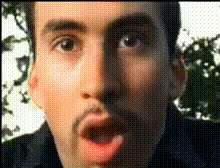
Pedro Pascal and Nicolas Cage in Mario Kart

face-swap

1 clip
7 uses

Any aspect ratio

Tags

moviesmemevideo games

Pedro Pascal & Nicolas Cage Mario Kart Face Swap Meme Template

Overview

This template recreates the viral “Pedro Pascal and Nicolas Cage in the car” meme from The Unbearable Weight of Massive Talent and remixes it into a Mario Kart–style scene using AI face swap. It’s built on Magic Hour’s Face Swap Video workflow, so you can instantly drop yourself, your friends, your team, or your characters into the roles and export a ready-to-post meme video in minutes.

Use this template to:

  • Turn the classic Pascal–Cage reaction format into a branded or personal meme
  • Pitch ideas, products, and startup pain points in a single, shareable clip
  • Create fast, on-trend social content for TikTok, Reels, YouTube Shorts, or X
  • Prototype marketing concepts and A/B test jokes or narratives

Why This Scene Became a Meme

The original scene in The Unbearable Weight of Massive Talent (2022) shows Nicolas Cage staring ahead, tense and suspicious, while Pedro Pascal beams with blissful joy as they drive together. That emotional contrast—one character anxious and skeptical, the other carefree and delighted—turns the moment into a perfect reaction template for:

  • “Me vs. my friend” comparisons
  • “Client expectations vs. reality” jokes
  • “Startup founder vs. investor” reactions
  • “Engineer vs. PM / marketing vs. legal” memes

Online, this format is often paired with Mama Cass Elliot’s “Make Your Own Kind of Music” and has been widely used in green screen edits and mashups across TikTok, Instagram, and Twitter/X. Nicolas Cage has even commented in interviews that he finds the meme amusing, despite not fully understanding why it went so viral.

What This Template Does

This Mario Kart meme template combines that iconic emotional contrast with a playful kart-racing setup and Magic Hour’s AI face swap capabilities:

  • Face Swap Video: Powered by Magic Hour’s AI Face Swap engine and accessible via the Face Swap Video template. Swap Nicolas Cage and Pedro Pascal with any faces you provide—your own, teammates, fictional characters, brand mascots, or influencers (subject to rights and platform policies).
  • Mario Kart–style scenario: The two characters appear like they’re driving karts together. One can represent the “overly optimistic” mindset, while the other embodies “realistic / stressed,” “security-conscious,” or “burned out.” This contrast is the core of the joke.
  • Fully remixable: You can change who appears in each seat, update captions, add overlays, and combine it with other Magic Hour tools for more advanced edits.

How to Remix This Template in Magic Hour

You can build your own version of this template in a few steps using Magic Hour’s tools:

  1. Start from Face Swap Video
    Open Face Swap Video. Import or select a base clip in the “two-people-in-a-car” / “Mario Kart–style duo” layout (you can use this template if it’s in your library, or any similar clip with two visible faces).

  2. Upload or choose your faces
    Use clear, front-facing reference photos for the faces you want to insert—selfies, headshots, or character renders. Tools like AI Headshot Generator, AI Selfie Generator, or the Avatar Generator can help you generate on-brand faces or personas if you don’t want to use real photos.

  3. Assign faces to each character
    Map each uploaded face to one of the characters (the “suspicious” driver vs. the “overjoyed” passenger). Think in terms of contrast:

    • Founder vs. VC
    • User vs. stakeholder
    • Security engineer vs. growth marketer
    • Old product vs. new product
  4. Enhance visuals if needed
    If your source faces are low-resolution or compressed, you can clean them up before swapping using:

  5. Add text, overlays, and branding
    Once the swap is done, you can:

    • Overlay captions that label each character (e.g., “Me shipping on Friday” vs. “Our on-call engineer”).
    • Add your logo or watermark—if you removed one earlier via Watermark Remover, re-introduce your own brand mark for sharing.
    • Prep thumbnails for YouTube or TikTok using the Thumbnail Maker.
  6. Export and repurpose
    From here, you can:

    • Post as a vertical short on TikTok, Reels, or YouTube Shorts.
    • Loop a section and convert to a GIF via AI GIF Generator or Face Swap GIF.
    • Generate multiple cutdowns or alternative captions for A/B testing.

Advanced Remixes for Creators & Marketers

If you want to push this beyond a simple meme, you can combine the template with other Magic Hour tools:

Popular Use Cases & Examples

Creators and teams are using variants of this meme format for:

  • Product marketing: “Customer using our old workflow” (Cage) vs. “Customer after automation” (Pascal).
  • Developer relations: “Me deploying on Friday evening” vs. “Monitoring dashboards.”
  • Startup storytelling: “Investor hearing the TAM” vs. “Founder explaining CAC payback.”
  • Company culture: “Security team” vs. “Growth team,” “Legal” vs. “Marketing,” etc.
  • Gaming content: “New player in ranked” vs. “Smurf account,” mapped directly to the Mario Kart–style setup.

The original cage–pascal format has been remixed into TikTok edits, green-screen overlays, and crossovers (for example, composited into horror film stills or festival scenes). You can replicate those patterns in Magic Hour by:

Best Practices for High-Impact Memes

  1. Make the contrast obvious
    The meme works when the roles are crystal clear. Use labels or captions so viewers instantly understand who is “obliviously happy” and who is “silently suffering.” Avoid overexplaining in the video itself; let the labels and expressions do the work.

  2. Use clean, high-quality faces
    High-resolution, well-lit input images produce better, more realistic swaps. If needed, pass your source images through AI Image Upscaler or Unblur Image before swapping.

  3. Align with your brand or narrative
    Tie each character to a concrete role: “Legacy provider,” “Regulator,” “Early adopter,” “Spreadsheet,” “AI assistant,” etc. This helps the meme communicate a real insight, not just a joke.

  4. Localize and repurpose
    Create variants for different markets, verticals, or personas. You can quickly adjust text, export multiple language versions with Auto Subtitle Generator, and swap in region-specific references.

  5. Test formats and channels
    Try short, looping cuts for TikTok and Reels, slightly longer versions with VO for LinkedIn or YouTube, and GIF variants for Slack and Discord using AI GIF Generator.

  6. Respect rights and policies
    When using real people, brands, or IP, make sure you have permission and comply with platform rules and applicable laws. For safer experimentation, generate fictional characters via AI Face Generator or AI Character Generator.

Related Magic Hour Tools for Similar Templates

Once you’re comfortable with this Mario Kart meme, you can branch out with:

  • Animation – animate characters or logos into short loops for reaction memes.
  • Video to Video – convert existing live-action memes into new visual styles while preserving motion and timing.
  • AI Meme Generator – explore other text+image formats to complement your video memes in campaigns.
  • AI Talking Photo – turn any still reaction image into a talking meme to extend the same joke.

Summary

This “Pedro Pascal and Nicolas Cage in Mario Kart” Face Swap meme template gives you a proven, high-signal reaction format that’s easy to adapt to your brand, product, or story. By combining Magic Hour’s Face Swap Video with character generators, image enhancers, and voice tools, you can build a whole family of consistent, on-trend meme assets that ship quickly and resonate with your audience across platforms.

More Like This