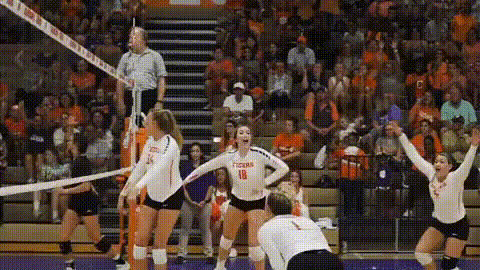
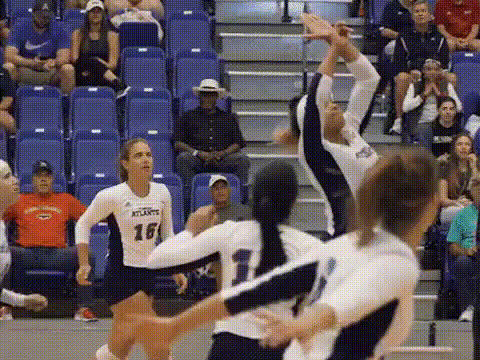
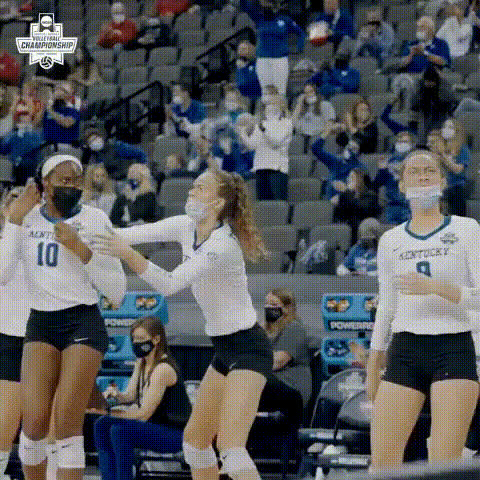
Thaisa Volleyball Jump

face-swap

1 clip
6 uses

Any aspect ratio

Tags

sports

Thaisa Volleyball Jump – Pro Volleyball Face Swap Video Template

Step into a pro volleyball highlight reel with the Thaisa Volleyball Jump face swap video template on Magic Hour. This template uses Magic Hour’s AI Face Swap technology to place your face into an explosive jump and spike sequence inspired by legendary Brazilian middle blocker Thaísa Menezes.

It’s designed for creators, marketers, and sports brands who want fast, high-impact content: short-form ads, TikTok/Reels, fan edits, or branded social posts that look like real broadcast footage.


What This Template Does

The Thaisa Volleyball Jump template is a ready‑made face swap video scene built on Magic Hour’s Face Swap Video pipeline. In a few steps, you can:

  • Swap your face (or a client’s, teammate’s, or influencer’s) onto a pro volleyball athlete mid-jump.
  • Generate broadcast-style sports content without cameras, courts, or a film crew.
  • Quickly create variations and remixes for different campaigns, players, or brand angles.

The end result is a realistic, shareable video that looks like a clip from a high-level international match – but starring you or your subject.


Who It’s For

  • Sports creators & editors – make fan edits, reaction content, and POV clips (“me in the Olympics”) in minutes.
  • Social media & growth teams – launch fast experiments for TikTok, Instagram, YouTube Shorts, and X using athlete-style content that stands out in the feed.
  • Founders & marketers – test sports-themed hooks for product launches, fitness apps, betting platforms, sports brands, or creator collabs without a full production budget.
  • Coaches & clubs – generate fun promo content featuring your athletes in “pro” highlight moments to drive engagement with fans and recruits.

How to Remix This Template in Magic Hour

You can recreate or customize this template directly inside Magic Hour using the Face Swap Video tool.

1. Start from Face Swap Video

  • Open Face Swap Video.
  • Either use the existing volleyball jump as your base, or upload your own volleyball clip (or any sports footage) to build a custom version.

2. Add Your Source Face

  • Upload a clean, front-facing photo of the person whose face you want to appear in the video.
  • For best realism, use:
    • High-resolution images with good lighting.
    • Neutral or lightly expressive faces (not extremely distorted expressions).
    • Unobstructed faces (avoid sunglasses, heavy shadows, or large hats).

3. Generate and Refine

  • Run the face swap and preview the output.
  • If you want variations:
    • Swap in different faces (teammates, friends, influencers) on the same base video.
    • Change the base video entirely (e.g., another spike, a block, a celebration shot) and reuse the same face.

4. Remix Into New Formats

Once you have a strong base highlight, you can repurpose it using other Magic Hour tools:

  • Lip Sync – turn your volleyball clip into a talking reaction or commentary piece with synced speech.
  • Video to Video – stylize the same action (e.g., anime sports style, comic-book look, retro broadcast aesthetic).
  • AI GIF Generator – convert the best moment of the spike into a looping GIF for chats, Discord, or Twitter reactions.
  • Video Upscaler – upscale your highlight for sharper output on big screens or ad creatives.

Ideas & Use Cases

  • “If I played pro volleyball” clips – swap your face into elite-level plays and share side‑by‑side with your real practice footage.
  • Launch campaigns – use the spike as a metaphor for “spiking your metrics,” “elevating your performance,” or “smashing your goals” in B2C or B2B social campaigns.
  • Influencer integrations – drop creators or athletes into the template for sponsored content and co-branded posts.
  • Team engagement – swap everyone on your roster or staff into the same volleyball jump and post as a carousel or short video compilation.
  • Fan activations – let fans submit a photo, swap them into the clip, and send back a personalized “pro highlight” as part of a community or membership offering.

About Thaísa Menezes (Context & Inspiration)

The template is inspired by Thaísa Daher de Menezes, a Brazilian middle blocker widely recognized as one of the most dominant players of her era:

  • Two-time Olympic gold medalist with Brazil’s women’s national team (Beijing 2008, London 2012).
  • Multiple-time Best Blocker and Best Middle Blocker in FIVB international competitions, including World Grand Prix and Club World Championships.
  • Key contributor at club level, including titles with Brazilian powerhouses such as Osasco, where she helped win the 2012 FIVB Club World Championship.

Her combination of height, timing, and explosive jumping has made her highlights a go-to reference for volleyball analysis and coaching breakdowns. This template channels that intensity into an AI-ready scene you can personalize.


How to Build Your Own Sports Face Swap Template

If you like the Thaisa Volleyball Jump but want a fully custom sports sequence, you can create your own template inside Magic Hour using the same building blocks:

  1. Capture or source raw footage
    Use real footage from:
    • Volleyball games, trainings, or pro broadcasts you have the right to use.
    • Stock video platforms or your own shoots (phone footage works as long as motion and framing are clear).
  2. Clean up images and faces
    Use:
    • AI Image Editor – to retouch or adjust your source face images before swapping.
    • AI Image Upscaler – to enhance low-resolution photos for better swapping fidelity.
  3. Build the face swap version
    Go to Face Swap Video, upload your base sports clip, and then:
    • Upload your subject’s face (athlete, fan, influencer, mascot actor, etc.).
    • Generate multiple takes to find the best-looking variant.
  4. Extend or re-style the scene
    Combine with:
    • Video to Video – convert your realistic sports footage into stylized anime, comic, or graphic-novel sports sequences.
    • Animation – turn your highlight into a more animated, character-driven motion piece.
  5. Package it as a reusable template
    Once you’re happy with the result, reuse the same base video and workflow:
    • Swap in new faces for different campaigns or clients.
    • Localize the same concept across regions, teams, or product lines.

Related Magic Hour Tools for Sports & Creator Workflows

To build richer content around the Thaisa Volleyball Jump template, consider combining it with:

  • AI Talking Photo – create pre- and post-game “interviews” from static player portraits.
  • AI Voice Cloner and AI Voice Generator – generate commentary, hype voiceovers, or coach breakdowns.
  • Text to Video – produce B-roll and contextual sports visuals (arenas, locker rooms, training scenes) from prompts.
  • Auto Subtitle Generator – add subtitles for social platforms where muted autoplay is the default.
  • AI Headshot Generator – create consistent, professional player or staff profile images for use in thumbnails and graphics.
  • Thumbnail Maker – turn your best frame (e.g., peak jump) into high-conversion thumbnails for YouTube or landing pages.

Best Practices for High-Quality Sports Face Swaps

  • Match angles where possible – faces shot from similar angles to the base video typically produce more natural results.
  • Use clear, well-lit reference photos – facial features should be sharp and unobstructed; this improves identity preservation and realism.
  • Respect rights and likeness – if you’re working with real athletes, influencers, or talent, make sure you have the appropriate permissions and contracts in place.
  • Think in campaigns, not single posts – plan a series (e.g., block, spike, celebration, team huddle) and reuse faces and styles to build a recognisable brand narrative.

Why Use Magic Hour for Sports & Face Swap Content

Magic Hour is built for fast, production-grade visual experimentation. For sports and high-motion content specifically, it offers:

  • Specialized Face Swap pipeline via AI Face Swap and Face Swap Video, tuned for realistic identity transfer across video frames.
  • End-to-end workflow support – from generating stills (AI Image Generator, AI Photo Generator) to editing, upscaling, and exporting across channels.
  • Creator- and team-friendly UX – optimized for people shipping campaigns and content on tight timelines, not just playing with one-off effects.

Use the Thaisa Volleyball Jump template as a starting point, then build your own library of reusable sports face swap scenes for clients, teams, and campaigns.

More Like This

Insufficient credits