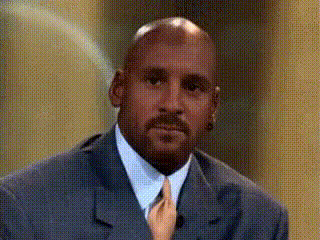
"Don't do drugs" - Michael Jordan

face-swap

1 clip
2 uses

Any aspect ratio

Tags

memessports

“Don’t Do Drugs” Michael Jordan PSA – Face Swap Template

Overview

This template recreates Michael Jordan’s iconic 1987 “Don’t Do Drugs” PSA and lets you drop yourself (or any face you own the rights to) into the scene using Magic Hour’s AI Face Swap technology. It’s built for creators, marketers, and storytellers who want to:

  • Remix a famous anti-drug PSA format for modern campaigns
  • Create educational or public health content with strong visual hooks
  • Prototype narrative and character-based videos quickly with AI

Under the hood, this template uses face swap video generation to map your face onto a Jordan-style spokesperson in a clean, studio-style setup. You can then customize the script, pacing, and call-to-action to match your audience and message.

What This Template Is Based On

In 1987, Michael Jordan partnered with McDonald’s “Get It Straight” anti-drug program to record a one-minute TV public service announcement. It premiered on May 26, 1987, right after ABC’s Cracked Up, a TV movie about teenage addiction (documented in contemporary TV listings and press coverage).

The PSA is simple: Jordan, in a cream suit against a stone-textured backdrop, speaks directly to young viewers about the risks of drugs and the value of their future. He tells them that at 18 they’ve only lived about one quarter of their life and warns that drugs “cheat you out of the chance to find out who you really can be.” He closes with a direct, memorable line:

“Don’t do drugs. If you’re doing it, stop it. Get some help.”

This straightforward, to-camera format—and its clear call to action—is why the PSA is still referenced in discussions of 1980s anti-drug messaging, celebrity influence in public health, and the cultural legacy of the U.S. “War on Drugs.”

What You Can Build With This Template

You can use this Face Swap template as a starting point for:

  • Modern anti-drug or mental health PSAs for schools, nonprofits, or community groups
  • Awareness campaigns (addiction, gaming, screen time, financial responsibility, etc.) using the “future self” framing
  • Influencer or brand videos where a spokesperson speaks directly to camera in a Jordan-style setup
  • Cultural explainers about the 1980s, sports history, or media history using a familiar format
  • Satirical or meme content (when appropriate and respectful) that riffs on the “don’t do X” structure

How to Remix This Template in Magic Hour

To turn this into your own, you’ll use Magic Hour’s Face Swap Video creator plus a few optional tools from the Magic Hour ecosystem.

1. Start from the Face Swap Video flow

  • Go to Face Swap Video.
  • Use the existing PSA-style clip as your base, or upload a similar talking-head clip you’ve recorded (or have rights to).

2. Prepare your face or character

  • Upload a clear photo of yourself, a teammate, or a licensed character to use as the new face.
  • For stylized or fictional characters, you can generate faces first with the AI Face Generator or AI Character Generator.
  • If you need a professional or corporate look, consider creating source images using the AI Headshot Generator.

3. Rebuild the iconic visual setup

To echo the original PSA while keeping it flexible:

  • Backdrop: Use a stone-textured or neutral background. You can design one with the AI Background Generator or edit an existing still frame with the AI Image Editor.
  • Outfit: If you want the cream suit vibe without wardrobe changes, create variant stills with the AI Clothes Changer and integrate them into your video concept.
  • Framing: Aim for a waist-up or chest-up shot, centered, speaking straight to camera—this is what makes the PSA feel direct and personal.

4. Customize the message and script

Rather than repeating Jordan’s script verbatim, adapt the core structure:

  1. Hook: Speak directly to a specific audience (“If you’re under 18…”, “If you’re starting a new business…”, “If you’re just getting into crypto…”).
  2. Perspective on time: Use the “future life” framing to show what’s at stake. The original uses “you’ve only lived one-fourth of your life.” You can adapt that to careers, health, or relationships.
  3. Consequence: Briefly describe what’s at risk (missed potential, lost opportunities, damaged health).
  4. Empowerment: Emphasize agency (“you can be almost anything you want to be,” “you still have the rest of your life to redirect”).
  5. Call to action: Offer a specific next step (hotline, website, school counselor, program signup, or resource hub).

If you want to prototype different versions of the script for testing, you can pair this with text-based AI tools and then record or generate your voice over the footage.

5. Enhance with other Magic Hour tools (optional)

  • Lip-syncing to your own voice: Generate or record a voice track and sync it to your swapped face using Lip Sync. This is useful if you want realistic mouth movement with a fully custom script.
  • AI voice for your PSA: Use AI Voice Generator or AI Voice Cloner to create a consistent narrator voice, then apply lip sync on top.
  • From static photo to short video: If you only have a static PSA-style image, turn it into motion with Image to Video or create a talking portrait via AI Talking Photo.
  • Video quality: Clean up archival or low-res source clips with the Video Upscaler.
  • Repurpose into GIFs/memes: Export short segments as GIFs via the AI GIF Generator or create meme variants using the AI Meme Generator.

Ethical and Legal Considerations

Face swapping onto real public figures raises important legal and ethical questions:

  • Rights and permissions: Make sure you have the necessary rights to use any likenesses you deploy (especially for commercial use).
  • Transparency: Be clear that your video is AI-assisted and representational, especially for educational or public health contexts.
  • Sensitivity: Topics like addiction, mental health, and substance use benefit from evidence-based resources and respectful framing. Consider pairing your PSA with links to credible organizations (e.g., public health departments, treatment providers, or hotlines in your region).

If your use case is public-interest communication, you can treat this template as a visual format to borrow (direct-to-camera, time-horizon framing, clear CTA) rather than a celebrity likeness to imitate.

Template Variations You Can Try

Once you’re comfortable with the base template, you can explore:

Why This Template Works

The original Michael Jordan PSA endures because it combines:

  • Direct eye contact: Straight-to-camera delivery feels personal and trustworthy.
  • Simple visual design: Neutral background and formal clothing keep focus on the message.
  • Time-as-perspective: Framing life as “three more lifetimes to go” translates abstract risk into something tangible.
  • Clear CTA: “Stop it. Get some help.” is short, specific, and actionable—though modern campaigns often add specific resources and support information.

By using this Face Swap template, you can keep the effective structure while updating the content with better resources, modern data, and context that fits your community or campaign.

Part of the Magic Hour Template Library

This PSA remix is one of many templates in Magic Hour’s library for face swapping, character-driven storytelling, and AI-native video production. You can:

  • Start here with Face Swap Video for PSA-style messaging
  • Explore Face Swap for other use cases (ads, UGC, storytelling)
  • Combine with Text to Video to auto-generate scripts and scenes you then enhance with Face Swap and Lip Sync

Remix, iterate, A/B test scripts, and refine visuals until you have a version that lands with your audience—while still nodding to one of the most recognizable PSAs in media history.

More Like This