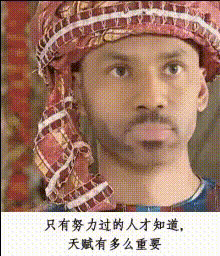
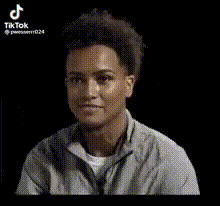
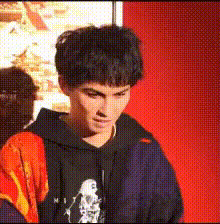
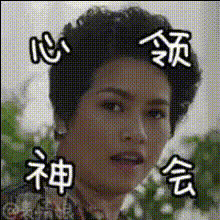
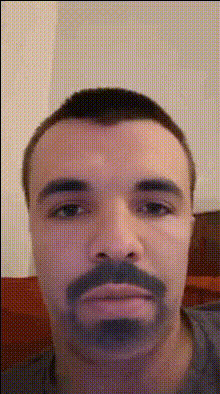
"WTF" - Asian Man Speaking Slang

face-swap

1 clip
4 uses

Any aspect ratio

“WTF” Slang Reaction – Face Swap Video Template

Overview

This “WTF” Face Swap video template is built for short-form, reaction-style content: think confused looks, fast slang, and meme-ready punchlines. It uses Magic Hour’s AI Face Swap to put your or your character’s face onto a talking head, so you can instantly spin up TikToks, Reels, YouTube Shorts, or meme replies without filming yourself.

You can remix this template directly using Magic Hour’s Face Swap Video creator: swap in your face, a client’s face, or a fictional character, then export in a few clicks.

What This Template Is For

  • Reaction content: “WTF,” “WYD,” “WYA,” and similar slang-based reactions to tweets, comments, bad takes, or viral clips.
  • Edutainment about slang: Short explainers that break down internet slang and modern lingo for global audiences.
  • Character-driven memes: Turn a single character into a recurring meme star for your brand or channel.
  • Localized social content: Swap in different faces and scripts to adapt slang content for different markets or languages.

How the Face Swap Template Works

The template is powered by Magic Hour’s AI Face Swap engine. You start with:

  • A source video where someone delivers slang-heavy lines and expressive reactions.
  • A face image (or multiple faces) you want to appear in the video.

Magic Hour’s model detects facial landmarks and expressions in the original video, then synthesizes your target face with consistent lighting, pose, and motion, producing a natural-looking swapped performance that still preserves all the original micro‑expressions.

To build your own variation, open the Face Swap Video tool, upload (or pick from your library) the base performance, and apply your chosen face. You can reuse that same base performance to generate dozens of variants with different faces and scripts.

Responsible & Inclusive Use

When creating slang or culture-based content, be mindful of:

  • Respectful representation: Avoid stereotypes or caricatures about any ethnicity, accent, or culture.
  • Consent: Only use faces (your own, licensed models, or AI-generated faces) that you have rights and permissions to use.
  • Brand safety: Consider how slang, tone, and context align with your brand’s personality and audience expectations.

For faces that are clearly fictional and safe for experimentation, you can generate them quickly with tools like AI Face Generator, Avatar Generator, or full-body concepts via the Full Body Generator.

Remix This Template in Magic Hour

To create your own “WTF slang” variant, you can:

  1. Swap the face: Use the Face Swap Video template and upload:
  2. Change the script: Record or source a new speaking performance that uses slang relevant to your niche:
    • Internet slang (e.g., “WTF,” “ratio,” “low‑key,” “mid”).
    • City or regional slang for local marketing campaigns.
    • Industry-specific jargon translated into meme form.
  3. Localize for different markets: Duplicate the template, swap in a new face that represents a different persona, and record the same lines in another language or dialect.
  4. Build a content series: Turn this into a recurring “slang of the week” or “WTF did they just say?” series by reusing the template structure and only changing the slang, captions, and face.

Suggested Workflows for Creators & Teams

For Creators and Influencers

  • Film one strong base performance with expressive “WTF” reactions.
  • Use Face Swap Video to apply your face to the base actor if you prefer not to appear on camera.
  • Upscale your final video for cross-platform posting with Video Upscaler.

For Marketers and Startup Teams

For Developers and Product Teams

  • Use this template to prototype onboarding, UI explainer, or “feature drop” videos in a lightweight, slang-forward style.
  • Test different faces, voices, and slang scripts on social channels to see which persona drives higher engagement before committing to long-form content.

Combine With Other Magic Hour Tools

You can extend this template into a more advanced pipeline:

Ideas for Slang & Cultural Content

This template works well for:

  • Explaining trending internet terms: “What does ‘rizz’ mean?”, “What is ‘mid’?”, “Why people keep saying ‘delulu’.”
  • Regional slang breakdowns: Inspired by popular “X city slang explained” videos, you can have your swapped character decode local slang in a fun, punchy format.
  • Corporate-to-human translation: Translate dense product or policy language into everyday slang to make internal announcements or product updates more engaging.

For visual flavor, you can generate on-theme supporting art (e.g., graffiti, meme panels, comic frames) via tools like Graffiti Generator, Comic Book Generator, or AI Illustration Generator.

Polish and Optimization

Why Use Magic Hour for Slang & Reaction Videos

For creators, marketers, and startup teams, this template offers:

  • Speed: Turn one good base performance into a scalable library of character-driven slang clips.
  • Consistency: Keep a recognizable “face of the channel” while changing scripts, languages, and contexts.
  • Cost-efficiency: Reduce the need for repeated shoots or full video crews for every short you publish.
  • Experimentation: Rapidly A/B test faces, tones, and slang styles across audiences and platforms.

Start by opening the Face Swap Video tool, plug in your base performance and chosen face, and iterate from there. Within a few minutes, you can have a “WTF slang” character ready to anchor a full meme, education, or reaction series across all your channels.

More Like This