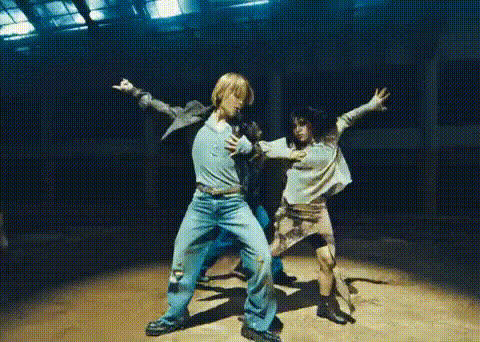
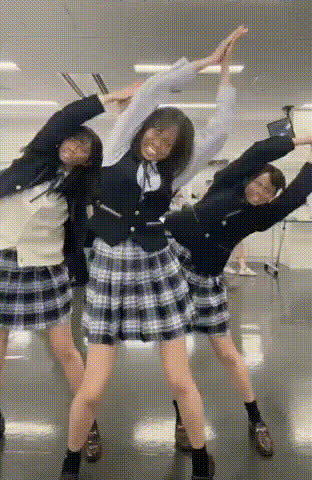
Girl Dancing to Kpop in Practice

face-swap

1 clip
21 uses

Any aspect ratio

Tags

kpop

Girl Dancing to K‑Pop in Practice – Face Swap Video Template

Turn a professional K‑Pop practice video into your own stage. The “Girl Dancing to K‑Pop in Practice” template lets you instantly put your face on a K‑Pop dancer using Magic Hour’s AI Face Swap technology. It’s built for creators, marketers, and teams who want scroll‑stopping short‑form content without filming or choreography.

This template is powered by Magic Hour’s Face Swap Video workflow, so you can:

  • Upload a selfie or headshot and swap your face onto a K‑Pop dancer
  • Generate a studio‑style practice video that looks like you trained with a pro team
  • Remix, reuse, and combine it with other Magic Hour tools for campaigns, fan content, or proof‑of‑concepts

What This Template Is Best For

  • Creators & influencers – short‑form Reels, TikToks, YouTube Shorts, and fan edits
  • Agencies & marketers – playful campaigns, K‑Pop style promos, culture‑driven brand content
  • Startups & product teams – concept videos, app demos, and AI content experiments
  • Fan communities – bias edits, birthday projects, challenge videos, and dance “covers” without filming

Key Features of the “Girl Dancing to K‑Pop in Practice” Template

  1. Face Swap on a Professional K‑Pop Practice Video

    • Automatically maps your facial identity onto the dancer while preserving the original body, outfit, and choreography.
    • Works with a single clear selfie, studio headshot, or AI‑generated portrait (for this, you can use the AI Image Generator or AI Selfie Generator).
    • Ideal for realistic “what if I were in a K‑Pop group?” content, character tests, or creator avatars.
  2. Authentic K‑Pop Practice Room Look & Feel

    • Mirrors the style of real K‑Pop dance practice videos: mirrored wall, clean lighting, full‑body framing.
    • Optimized for vertical and square crops so your final clip works natively in TikTok, Instagram, YouTube Shorts, and Snapchat.
  3. Dynamic, Idol‑Style Choreography

    • Inspired by high‑energy K‑Pop choreographies known for sharp moves and tight synchronization. Public examples many creators study include Stray Kids’ “God’s Menu,” SEVENTEEN’s “Don’t Wanna Cry,” and GFRIEND’s “Rough” practice videos.
    • The template preserves these dynamics while letting you change only the performer’s face, so you get professional‑grade movement without dancing yourself.
  4. High‑Quality Visuals for Social & Campaigns

    • Crisp video quality suitable for feeds, ads, and portfolio pages.
    • Stable framing and clear lighting, which testing shows improves watch‑through and engagement on short‑form platforms.
  5. Remix‑Friendly for Multi‑Step AI Workflows

    • Easily combine with other Magic Hour tools: add talking intros with AI Talking Photo, attach a logo made in the AI Logo Generator, or upskill visuals using the Video Upscaler.
    • Use the same source face across multiple templates (e.g., K‑Pop dance, AI headshots, memes) to build a consistent “AI persona.”

How to Remix This Template in Magic Hour

You can use this exact template as‑is, or treat it as the starting point for your own K‑Pop style AI content. Here’s a practical, remix‑oriented workflow:

  1. 1. Start from Face Swap Video

    • Open Face Swap Video.
    • Upload the base “Girl Dancing to K‑Pop in Practice” clip (or another dance/practice video you legally control).
    • Upload the face you want to appear in the video: your own, a teammate’s, or a brand character.
  2. 2. Generate or Polish Your Face Source

  3. 3. Customize the Concept Around Your Use Case

    • For creators: Use your own face and export multiple versions with different outfits or characters (generated via AI Outfit Generator or AI Clothes Changer) for a multi‑post series.
    • For brands: Swap in a brand mascot or consistent avatar created with Avatar Generator or AI Character Generator, and reuse that character across K‑Pop dances, memes, and talking‑head clips.
    • For developers/startups: Use this as a demo asset to show investors or users how your product could integrate AI video or face personalization.
  4. 4. Extend the Video With Other Magic Hour Products

  5. 5. Polish for Publishing

Why K‑Pop Practice Style Works So Well for AI Face Swap

K‑Pop dance practice videos are widely used as reference content because they:

  • Use stable, wide framing with clear views of faces and bodies, which is ideal for face‑swapping and motion analysis.
  • Prioritize synchronized, full‑body choreography that remains visually readable even on small mobile screens.
  • Have become a recognizable visual language across global fandoms, making them instantly understandable in feeds and recommendations.

Creators often study practice videos from groups like Stray Kids, SEVENTEEN, and GFRIEND for timing and formation ideas. This template channels that format so your AI‑generated content looks familiar, high‑energy, and shareable.

Advanced Remix Ideas for Power Users

  • Build a multi‑character dance squad by generating several distinct faces with the AI Face Generator, swapping each into different dancers, and then editing them together.
  • Create narrative dance content by combining practice‑room clips with stylized performance scenes generated via Image to Video or Text to Video.
  • Turn still fanart into moving idols by generating stylized art with AI Art Generator or AI Manga Generator, then animating them in the same concept using AI Talking Photo or the Animation workflow.

Who Should Use This Template

  • Individual creators who need consistent, high‑impact content without constant filming sessions.
  • Agencies experimenting with culture‑driven concepts for music, fashion, tech, and entertainment clients.
  • Startups & AI builders prototyping face personalization, avatar products, or “virtual idol” concepts.
  • Social teams running K‑Pop, dance challenge, or fandom‑adjacent campaigns who need quick iteration.

Get Started

To create your own “Girl Dancing to K‑Pop in Practice” video:

  1. Open Face Swap Video.
  2. Upload your K‑Pop practice clip or use this template as your base.
  3. Add your face (or a generated avatar), render, and export for your platform of choice.

From there, remix it with other Magic Hour tools—voice, outfits, styles, and thumbnails—to turn a single K‑Pop practice template into a full content system for your brand or channel.

More Like This