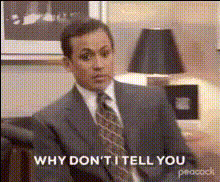
"I'm not superstitious but I am a little stitious" - Michael Scott

face-swap

1 clip
1 uses

Any aspect ratio

Tags

memes

"I'm Not Superstitious, But I Am a Little Stitious" – Michael Scott Face Swap Video Template

Turn one of the most iconic lines from The Office into a personalized meme, reaction, or short-form video. This Magic Hour template uses AI-powered Face Swap to put your face (or any face you choose) onto Michael Scott as he says, “I’m not superstitious, but I am a little stitious.” It’s built for fast, repeatable content creation for creators, marketers, and meme-savvy founders.

What This Template Does

This template is a ready-made short video of Michael Scott delivering the “little stitious” line, with your face swapped seamlessly onto his. You can use it to:

  • Create reaction memes for Slack, Discord, or social media
  • Respond to product launches, A/B tests, investor updates, or “lucky” wins
  • Make inside jokes for your team, community, or audience
  • Generate a series of on-brand Office-style clips for TikTok, Reels, or YouTube Shorts

All heavy lifting is handled by Magic Hour’s AI. You just provide faces and download your finished clip.

How to Remix This Template in Magic Hour

You can either use this template as-is or build your own “version” in a few minutes by remixing it:

  1. Start from Face Swap video
    Go to the Face Swap Video creator. This is the core workflow behind this template.
  2. Upload your source video
    Use any licensed clip or user-generated content where a single character delivers a clear line (e.g., your own Michael-style monologue, a parody recording, or another character from your brand). For compliance, make sure you have the rights to use the footage you upload.
  3. Add your face (or someone else’s)
    Provide a clean photo or frame of the target face. The AI Face Editor and AI Face Generator can help if you want stylized or synthetic faces instead of real people.
  4. Generate and download
    Let Magic Hour render your swap, then download the result. You can re-run with different faces or slight variations to batch-create multiple versions.

This process lets you recreate the “little stitious” template with any character, outfit, or setting while keeping the same meme structure.

About the “Little Stitious” Michael Scott Quote

The line “I’m not superstitious, but I am a little stitious” is delivered by Michael Scott (played by Steve Carell) in The Office, and has since become one of the show’s most shared and remixed quotes. It’s widely used in:

  • Reddit threads and Twitter/X replies as a light-hearted reaction to unlikely events
  • YouTube edits and TikTok memes around luck, risk, and irrational behavior
  • Merch designs, posters, and reaction GIFs across fan communities

Because the line is both self-aware and absurd, it works especially well for startup, finance, gaming, and sports content—any context where “luck vs. skill” is a recurring theme.

Best Practices for High-Performance Face Swap Memes

To make this template perform well on social and in campaigns:

  • Anchor it to a real situation
    Use the line as a punchline to something specific: a surprisingly good CAC, a lucky bug fix, a game-winning play, or a “we shipped on Friday and nothing broke” moment.
  • Keep it short and focused
    Aim for snappy, loop-friendly cuts (5–20 seconds). Shorter clips tend to perform better on TikTok, Reels, and Shorts.
  • Add supporting text
    Use captions like “When the A/B test wins by 0.1%…” or “Founders when the pitch goes way better than expected” to clarify the joke for fast scrollers.
  • Batch content in one session
    Swap multiple faces (your team, your community, fictional characters) into the same base clip to get a whole series of posts from a single template.
  • Respect likeness rights
    When using real people (employees, creators, clients), make sure you have consent and follow relevant platform and legal guidelines on deepfakes and synthetic media.

Advanced Remixes with Other Magic Hour Tools

If you want to go beyond a simple face swap, you can chain this template with other Magic Hour products:

Creating Your Own Office-Style Video Series

Once you’re comfortable with this template, you can build an entire Office-inspired content system:

  • Face swap into multiple scenes
    Use the Face Swap Video flow on several short clips (different reactions, monologues, or looks) and keep your main character consistent (e.g., your founder or mascot).
  • Animate from scratch
    Start with illustrated or animated characters using Animation or Animated Characters Generator, then apply face swap for a surreal, cartoon-meets-real hybrid effect.
  • Turn it into a meme funnel
    Pair this template with AI Meme Generator for static posts and Thumbnail Maker to build consistent branding across video, shorts, and community posts.

Where This Template Works Best

Teams and creators typically use this “little stitious” clip for:

  • Startup & SaaS: Pitch decks, investor updates, product launch reactions, growth wins
  • Marketing & agencies: Client recaps, campaign post-mortems, “how did that even work?” moments
  • Gaming & sports: Clutch plays, lucky drops, improbable wins
  • Education & content creators: Explaining cognitive bias, risk, probability, or superstition with a pop-culture hook

Share and Iterate

After generating your Michael Scott face swap:

  • Post on TikTok, Reels, YouTube Shorts, or LinkedIn with context in the caption
  • Test different faces, captions, and hooks to see what your audience responds to
  • Use performance insights to decide which variations to turn into recurring series or branded characters

Use this template as a starting point, then remix it with Face Swap Video and other Magic Hour tools to build an entire library of Office-style, high-signal reaction content tailored to your brand and audience.

More Like This