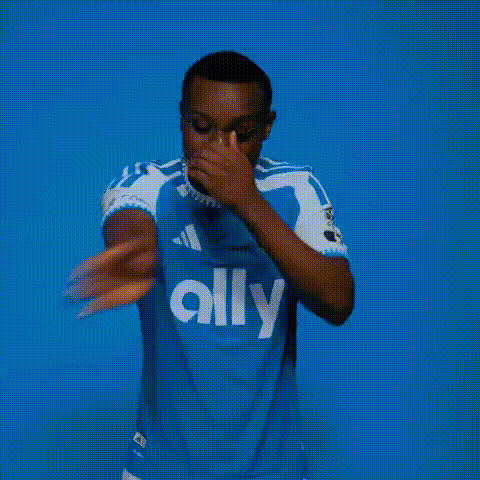
MMA Players dancing to Toca Toca
face-swap
Any aspect ratio
Tags
sportsMMA Fighters Dancing to “Toca Toca” – Face Swap Video Template
Turn MMA Legends into Viral Dance Stars
This template lets you put MMA fighters into the viral “Toca Toca” dance trend using Magic Hour’s AI-powered Face Swap. In a few minutes, you can turn serious fight footage into a shareable, meme-ready dance video – ideal for social media, fan pages, YouTube Shorts, TikTok, and marketing campaigns.
Instead of manually editing in a complex video editor, you can remix this template inside Magic Hour and generate a new version with your own faces, branding, or characters.
What This Template Does
The “MMA Players Dancing to Toca Toca” template:
- Uses AI face swap to replace the original dancer’s face with MMA fighters, creators, or your own face
- Keeps the original “Toca Toca” dance performance, motion, and timing intact
- Produces a ready-to-post short-form video optimized for social feeds
- Can be remixed into other concepts (e.g., athletes, streamers, founders, fictional characters)
Under the hood, the template is powered by Magic Hour’s Face Swap Video workflow, which is designed for realistic, frame-consistent identity transfer in video.
How to Remix This Template in Magic Hour
You don’t need any editing background. To create your own version of this template:
- Open Face Swap Video
Start with Face Swap Video. This is the same tool used to build this template. - Use the MMA + “Toca Toca” Dance as Your Base
Load or upload the base “Toca Toca” dance clip (or any other dance clip you prefer). The template is built around a short, vertical dance video that matches the song’s beat. - Upload Source Faces
Add photos of MMA fighters, celebrities, or your own selfies. For best results, use:- Clear, front-facing photos
- Good lighting and sharp resolution
- Neutral or simple facial expressions
- Apply Face Swap
Map each MMA fighter (or character) to the dancer in the video. The AI will track the face across the entire dance sequence and keep expressions, angles, and lighting consistent. - Fine-Tune Your Visuals
If you need to clean up images before swapping, you can:- Enhance or upscale face photos using the AI Image Upscaler
- Remove distracting elements with the AI Remover or Remove Object from Photo
- Retouch faces via the AI Face Editor
- Export and Publish
Once you’re happy with the swap, export your video and post it directly to TikTok, Instagram Reels, YouTube Shorts, X, or Discord communities.
Best Practices for High-Quality Face Swap Dance Videos
- Use clean, recognizable faces
High-resolution, well-lit source images produce more realistic swaps. If your photos are blurry, sharpen them with Unblur Image. - Match angles and lighting where possible
Faces that roughly match the angle and lighting of the dancer’s head in the base video will look more natural. - Keep the edit visually simple
Fast-cut, highly edited footage can distract from the face swap. Short, clear dance loops work best. - Stay in the meme format
For maximum shareability, keep it short (10–20 seconds), punchy, and focused on the comedic contrast between “serious” MMA and playful dance. - Respect rights and likenesses
Make sure you have the right to use any real person’s face or branding, especially for commercial or promotional content.
Why “Toca Toca” Works So Well for Face Swap Memes
“Toca Toca” (originally by Fly Project) became a global meme through short-form video platforms like TikTok and Instagram Reels. A widely shared version of the dance was popularized by Japanese voice actor Mamoru Miyano (known for voicing Light Yagami in Death Note), whose energetic performance helped turn the routine into a recurring meme format.
Memes built around a fixed dance routine with a strong beat are ideal for AI face swap because:
- The camera framing stays consistent, making face tracking more accurate
- Repetitive dance motions look funnier when juxtaposed with unexpected faces (e.g., fighters, CEOs, fictional villains)
- Audiences already recognize the format, so your twist (who’s dancing) becomes the punchline
Ideas to Extend or Reuse This Template
Once you’ve built your “MMA Players Dancing to Toca Toca” version, you can reuse the same workflow for other concepts:
- Sports mashups: Swap in footballers, basketball players, or esports pros
- Corporate / startup humor: Put founders, VCs, or team leads into the dance for internal events or product launches
- Character-based content: Use AI-generated characters from the AI Character Generator, Anime Generator, or DnD Art Generator
- GIF reactions: Turn your face swap video into looping GIFs using the AI GIF Generator or dedicated Face Swap GIF tool
- Talking or singing versions: Combine with Lip Sync or AI Talking Photo to create synced lip movements for remixes, commentary, or parodies
Related Magic Hour Tools for Video Memes & Remixes
For more advanced or adjacent workflows, consider:
- Face Swap – general face swapping across images and clips
- Video-to-Video – restyle your dance video into different art styles (anime, comic, etc.)
- Image-to-Video – animate static characters or fighters into short motion clips
- Animation – generate stylized animated sequences from prompts
- Text-to-Video – prototype completely new meme formats from text ideas
- Auto Subtitle Generator – add captions and memes text overlays automatically
- Video Upscaler – enhance low-res meme clips for higher-quality reposts
Who This Template Is For
- Creators looking for fast, repeatable meme formats that can be remixed around current events or fight cards
- Marketers & social teams who want lightweight, high-engagement content formats around sports, gaming, or entertainment IP
- Startups & founders using playful content to humanize their brand or celebrate product launches and milestones
- Developers & technical teams exploring how generative video and face swap can be integrated into campaigns or products
Get Started
To create your own “MMA Players Dancing to Toca Toca” video, open Face Swap Video, load a “Toca Toca” dance clip, upload your MMA faces, and let Magic Hour handle the rest. From there, you can iterate quickly, test multiple fighter lineups, and spin off new meme formats in minutes—not hours in a traditional editor.