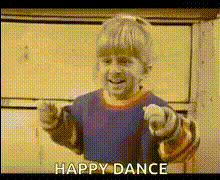
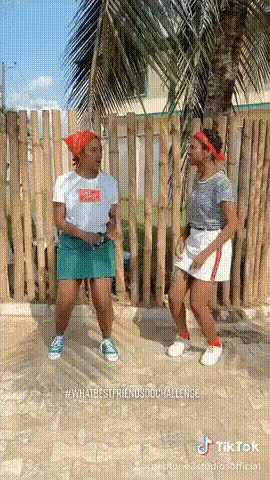
"One, here comes the two..." girl dancing

face-swap

1 clip
21 uses

Any aspect ratio

Tags

memes

“One, Here Comes the Two…” Face Swap Dance Template

Overview

The “One, Here Comes the Two… Girl Dancing” template is a ready‑to‑use AI face swap dance video built on Magic Hour’s Face Swap engine. It lets you drop your own (or a friend’s) face into a trending dance clip in a few clicks—no video editing skills required.

This template is powered by the same technology behind Magic Hour’s Face Swap and Face Swap Video tools, giving you high‑quality, frame‑accurate face replacement that’s optimized for TikTok, Instagram Reels, YouTube Shorts, and other short‑form platforms.

What This Template Is Best For

  • Creators and influencers testing trends fast without filming new footage
  • Marketers and social teams producing on‑brand memes and social ads
  • Founders and startup teams personalizing launch videos and product teasers
  • UGC creators making “reaction” style content with their own face in the clip

Why This Dance / Audio Trend Works

Dance and lip‑sync formats consistently perform well on TikTok and Reels because they compress recognizable audio + visual surprise into a few seconds. When you layer in realistic face swap, you get:

  • Instant pattern recognition – viewers recognize the meme or dance format in the first second.
  • Unexpected twist – your face (or your character’s face) appears on the dancer, creating humor and shareability.
  • High repeatability – you can reuse the same structure with different faces, outfits, or captions as the trend evolves.

How the Face Swap Works (High‑Level)

Magic Hour’s AI Face Swap models analyze both your reference face and the target video frame by frame. Under the hood, the system maps:

  • Facial geometry (eyes, nose, mouth, jawline)
  • Lighting and color to match skin tones and scene illumination
  • Expression and head motion so your face tracks the dancer naturally

Compared to manual compositing or basic overlay apps, you get more consistent eye alignment, fewer artifacts, and more natural expressions—critical for short‑form video where viewers notice glitches immediately.

How to Remix This Template in Magic Hour

You don’t need to “download” anything. You can recreate or remix this template directly in Magic Hour using the Face Swap Video template workspace:

  1. Open the face swap creator
    Go to Face Swap Video. This is where you can build your own version of the “One, Here Comes the Two…” dance using your own source assets.
  2. Add your dance clip
    Upload the original dance video you want to work with—or any short vertical clip with a clear, front‑facing dancer. For this format, 5–15 seconds usually performs best on TikTok and Reels.
  3. Upload the face you want to swap in
    Use a clear, well‑lit image of your subject. For better alignment in motion:
    • Use a frontal or slight 3/4 angle (matching the dancer’s direction as much as possible).
    • Avoid sunglasses and heavy occlusions.
    • Use at least one image at the resolution you expect to publish in (e.g., 1080×1920). If needed, sharpen with Unblur Image or upscale with AI Image Upscaler first.
  4. Generate the face‑swapped dance
    Let Magic Hour process the clip. The system will automatically track the head, apply the new face, and match lighting and expressions throughout the dance.
  5. Refine visuals for posting
    Once your swap is generated, you can:
  6. Export and publish
    Export your final video and post to TikTok, Instagram Reels, YouTube Shorts, or as a teaser on X / LinkedIn. Save your setup in Magic Hour so you can quickly swap in new faces and iterate.

Advanced Remix Ideas for Creators & Teams

Once you’ve built one version of this dance template, you can stack other Magic Hour tools to create a mini content system around it:

  • Multiple‑face variations
    Produce a series swapping:
    • Different team members or founders
    • Customer personas or fictional characters
    • “Before and after” personas for product storytelling
    Keep the same base dance, but change the face and on‑screen text for A/B testing.
  • Lip‑sync and talking variants
    Convert the dance into a talking or singing version:
    • Use Lip Sync to make the dancer’s mouth match a specific track, script, or meme audio.
    • For static photos, use AI Talking Photo to create short vertical clips that can sit in the same content series.
  • Stylized spin‑offs
    Turn your swapped dance clip into stylized or animated content:
  • Campaign‑ready thumbnails & memes
    • Use Thumbnail Maker for YouTube or Shorts covers showing the swapped face mid‑dance.
    • Convert your best frames into memes with AI Meme Generator for cross‑platform distribution.

Best Practices for High‑Performance Face Swap Dance Videos

  • Choose the right base clip
    Pick a dance video with:
    • Clear lighting and minimal motion blur
    • Little to no face obstruction (no hands or props covering the face)
    • A stable viewpoint (fewer extreme camera shakes)
  • Optimize for the hook
    Most short‑form viewers decide within 1–2 seconds. Introduce the swapped face immediately or cut directly to the moment the beat drops. Lead with the most surprising or funny segment of the dance.
  • Keep one clear joke per video
    Avoid stacking multiple complex gags in a single clip. One strong, clearly readable face swap (e.g., CEO dancing, fictional character dancing, “serious” persona in a silly dance) is more shareable than a cluttered montage.
  • Match character to concept
    Align the swapped face with your message:
    • Founders or execs for culture / hiring content
    • Customer personas for product benefits (“Life before vs after using X”)
    • Fictional or stylized faces generated via AI Face Generator or AI Character Generator for campaigns
  • Maintain visual quality
    Before swapping, clean up your face image:

Ideas for Marketers, Startups, and Brands

  • Founder‑led trend hijacks
    Put your founder or CMO’s face on the dancer to announce launches, funding, or feature drops. Pair with bold on‑screen text and link in bio CTAs.
  • “Our user vs our competitor’s user” series
    Use the same dance, but swap different faces representing different user types (e.g., frustrated vs delighted). Add captions to tell the story without relying on audio.
  • Localized content
    Clone your own voice with AI Voice Cloner and combine with Lip Sync to create region‑specific versions of the same dance video in multiple languages.
  • Character‑driven campaigns
    Generate branded mascots via AI Anime Generator, Disney AI Generator, or Superhero Generator, then use face swap to bring them into the dance for recurring campaign content.

Related Magic Hour Tools for Building a Complete Workflow

To build a full funnel around this template—from ideation to posting—you can combine:

Publishing & Community

When you share your “One, Here Comes the Two…” face swap dance:

  • Post native versions to TikTok, Instagram Reels, YouTube Shorts, and Snapchat Spotlight.
  • Test variations with different faces, captions, and hooks; keep your Magic Hour setup so you can regenerate quickly.
  • Use discoverable hashtags such as #faceswap, #aivideo, #magichour, and trend‑specific audio tags to reach users browsing that sound.

Summary

The “One, Here Comes the Two… Girl Dancing” template is a focused, high‑leverage way to use AI face swap for short‑form content. By combining Magic Hour’s Face Swap Video creator with adjacent tools like Video‑to‑Video, Lip Sync, and AI Image Generator, you can quickly build a repeatable system of dance‑based memes, campaigns, and branded clips—without touching a traditional video editor.

More Like This

Insufficient credits