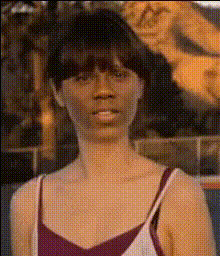
Zoolander Owen Wilson Staring At Camera

Magic Hour Profile Picture
by Anonymous

face-swap

1 clip
347 uses

Any aspect ratio

Tags

movieszoolanderowen wilson

Zoolander Owen Wilson Face Swap Meme Template

Turn the Hansel Stare Into Your Own Viral Reaction

This template recreates the iconic “blank stare at the camera” moment from Owen Wilson’s character Hansel in the 2001 cult comedy Zoolander. Using Magic Hour’s AI Face Swap technology, you can instantly replace Hansel’s face with your own, a friend, a character, or a brand mascot—no video editing skills required.

It’s ideal for:

  • Reaction memes and social posts
  • Brand and campaign promos with a humorous twist
  • Creator content (YouTube Shorts, TikTok, Reels)
  • Internal team jokes and culture content

About the “Hansel Staring at Camera” Meme

Hansel McDonald (Owen Wilson) is one of the central characters in Zoolander, directed by Ben Stiller and released in 2001. The film has become a long-standing reference point in internet culture, especially scenes like:

  • “I feel like I’m taking crazy pills!”
  • “So hot right now.”
  • The tiny-model computer scene (“How do you expect me to teach children…”)

The deadpan paparazzi-shot stare used in this template plays perfectly as a reaction meme: disbelief, awkwardness, “I can’t believe this is happening,” or “when you realize…” moments. Over time, it has been remixed into countless formats across Twitter/X, Reddit, and Instagram, often paired with simple top/bottom text captions.

How to Remix This Template in Magic Hour

You don’t need to start from scratch. You can:

  • Use this template directly, or
  • Remix it to build your own “Zoolander-style” face swap meme

1. Start from Face Swap Video

Open the Face Swap Video creator in Magic Hour. This is the easiest way to generate a short meme clip with the Hansel-style shot.

Conceptually, you’ll need:

  • Base video: A clip with a close-up or mid-shot where a character is staring or reacting to camera.
  • Face photo: A clear, front-facing image of the face you want to insert (you, a friend, a character, or a brand avatar).

2. Upload Your Face

Use a clean, well-lit, front-facing photo for best results. Avoid:

  • Heavy shadows or extreme angles
  • Low-resolution or heavily compressed images
  • Faces partially covered by hair, masks, or large sunglasses

3. Apply Face Swap to the Template Clip

In the Face Swap workflow, pair your chosen clip with your uploaded face. Magic Hour’s model will automatically:

  • Track the original actor’s head movements frame by frame
  • Match lighting, pose, and expression as closely as possible
  • Blend your face into the scene for a natural-looking result

4. Add Captions or Context

Once your face-swapped clip is generated, you can:

  • Export and add text/captions in your usual editing or social tools, or
  • Combine with other Magic Hour workflows (e.g., turn it into a talking meme later using AI Talking Photo or add a follow-up scene using Video-to-Video)

5. Remix Variants

For more advanced remixes:

  • Lip-sync version: Combine with Lip Sync to have “Hansel-you” mouth any audio (song lyrics, quotes, or your own VO).
  • Animated stylization: Run the output through Animation or AI Anime Generator for cartoon or anime-style versions of the meme.
  • Image-first workflow: Use AI Image Generator or AI Photo Generator to design an original character, then swap that face into the Zoolander-style shot.

Best Practices for High-Impact Meme Variants

1. Match the Emotion to the Caption

The Hansel stare works best for:

  • “When you realize…” moments
  • Deadpan disbelief
  • Awkward pauses or silent judgment
  • Corporate / startup “this meeting could’ve been an email” jokes

Pair it with concise, high-contrast captions. Think one core idea per meme.

2. Keep the Visuals Clean

  • Avoid overloading the frame with graphics; the humor is in the face and the pause.
  • Use readable captions if you’re adding text—large font, high contrast, minimal words.
  • If you’re targeting Reels/Shorts/TikTok, keep the clip short and loop-friendly.

3. Optimize for Each Platform

  • TikTok / Reels / Shorts: Fast hook, 3–8 seconds, bold captions.
  • Twitter/X: Crop a still frame and pair it with a text tweet; you can also extract a frame using Magic Hour’s AI Image Editor.
  • Memes & communities: For Reddit or Discord, consider exporting a GIF using AI GIF Generator or Face Swap GIF.

4. Brand & Campaign Use

If you’re a marketer or founder:

  • Swap your founder’s or mascot’s face in for a playful campaign asset.
  • Use the clip in pitch decks or internal all-hands for light-hearted intros.
  • Test multiple variants quickly and repurpose them across channels using Video Upscaler and Auto Subtitle Generator for polished outputs.

Advanced Remix Ideas with Magic Hour

Technical Tips for Better Face Swaps

  • Use high-quality faces: Pair Face Swap with AI Image Upscaler or Unblur Image if your source face is low-res.
  • Clean source images: Use AI Remover or Remove Object from Photo to get rid of unwanted objects before swapping.
  • Consistent lighting: Faces shot in similar lighting to the base video tend to produce more realistic results.

From Meme to Reusable Asset Library

As a creator or marketer, consider building a small “reaction library”:

  • Generate several Zoolander-style reaction shots with different people on your team.
  • Store exported clips and stills for reuse in future campaigns, decks, and socials.
  • Turn the best stills into branded assets using Thumbnail Maker, Album Cover Generator, or Book Cover Generator.

Summary

The Zoolander Owen Wilson “staring at camera” template is a versatile, low-friction way to generate high-impact reaction content. By combining Magic Hour’s Face Swap Video with tools like Lip Sync, Video-to-Video, and the broader Face Swap and AI Image Editor suite, you can quickly produce on-brand, remixable meme assets that work across platforms and campaigns—without needing a production team or complex editing stack.

More Like This