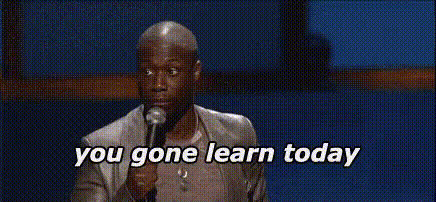
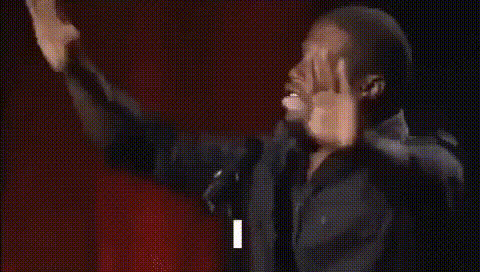
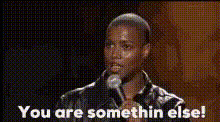
"Oh-no-oh-no-no-no-no" - Kevin Hart

face-swap

1 clip
4 uses

Any aspect ratio

Tags

memes

“Oh No, Oh No No No No” Kevin Hart Face Swap Video Template

Turn the Kevin Hart “Oh No” Meme Into Your Own Reaction Clip

Use this template to put your face (or any face you own the rights to) onto Kevin Hart’s viral “Oh No, Oh No No No No” reaction. In a few clicks, you can turn one of the internet’s most recognizable meme reactions into a personalized short-form video for TikTok, Reels, YouTube Shorts, or Twitter/X.

This template is built with Magic Hour’s AI Face Swap technology and is available as a remixable project inside the Face Swap Video creator.

What This Template Does

The template takes the classic “Oh No, Oh No No No No” reaction made famous by Kevin Hart and lets you:

  • Swap Kevin Hart’s face with your own, a friend’s, or a character you’ve generated
  • Preserve the original expressions, timing, and body movements for maximum comedic impact
  • Export a ready-to-post vertical clip optimized for short-form platforms

Because the facial expressions are already exaggerated and meme-ready, this template works especially well for:

  • Reacting to product fails, bugs, analytics drops, or “WTF” moments at work
  • Marketing creatives, pitch decks, and internal team memes
  • Social content for startups, creators, streamers, and brand pages

How the Face Swap Works (In Plain English)

Magic Hour’s Face Swap system uses deep learning–based face reenactment to map:

  • Your facial identity (from a reference photo)
  • Onto the original performance (Kevin Hart’s expressions, head motion, and lighting)

The result is a video that looks like you acted the scene yourself, while keeping the original timing and motion. You don’t need to film anything – you just provide a clear source image.

How to Remix This Template in Magic Hour

You can create your own version of this template directly in Magic Hour by remixing it inside the Face Swap Video tool:

  1. Open the Face Swap Video creator
    Go to Face Swap Video. Look for the “Oh No, Oh No No No No” Kevin Hart template in the template library or by searching “Kevin Hart Oh No”.
  2. Choose your source face
    Upload a clear, front-facing photo (or use an existing asset you’ve already used in other Magic Hour tools like Avatar Generator or AI Headshot Generator). Make sure the face is well lit and unobstructed.
  3. Apply the face swap
    Select the template and apply your source face. Magic Hour will automatically handle alignment, blending, and expression transfer.
  4. Refine and brand the clip
    Add overlays, captions, or brand elements using Magic Hour’s video tools, or export and finish in your editor of choice. You can also pair the clip with audio from the original meme sound where platforms allow it.
  5. Export for your target platform
    Download the final video and publish to TikTok, Instagram Reels, YouTube Shorts, or embed in presentations, landing pages, and newsletters.

Ideas & Use Cases for Creators and Teams

  • Product & startup reactions
    React to breaking changes, feature delays, outages, or “we shipped to prod on Friday” moments. Use it in all-hands, Slack, or investor updates.
  • Developer & engineering memes
    Pair the clip with screenshots of failing tests, confusing API docs, or surprise breaking changes. Overlay text with error codes, PR comments, or log messages.
  • Marketing & growth experiments
    Turn bad CPCs, churn spikes, or campaign disasters into shareable memes for your team or audience.
  • Creator & streamer content
    Use the template as a recurring reaction bit in your content, with your own avatar or VTuber-style persona generated via AI Character Generator or AI Anime Generator.
  • Internal culture & onboarding
    Create light-hearted clips about company “don’ts”, compliance reminders, or onboarding pitfalls.

Combine This Template with Other Magic Hour Tools

You can build more advanced, on-brand variations of this meme by chaining Magic Hour products:

  • Generate the face you want to swap in
    Use AI Image Generator, AI Face Generator, or Avatar Generator to create stylized characters (cartoon, anime, corporate, fantasy) and then use those faces in the Kevin Hart template.
  • Turn a still character into a reacting video
    First generate a branded character, then use Image to Video or Video-to-Video together with this template to keep consistent style across multiple clips.
  • Make the clip talk or lip-sync
    Combine with Lip Sync or AI Talking Photo to add custom voiceovers or localize the meme in multiple languages.
  • Sharpen and enhance output
    Use Video Upscaler or AI Image Upscaler when you need the meme in higher resolution for campaigns or large-format screens.
  • Create GIF and sticker versions
    Convert your finished video into a GIF-ready asset for Slack, Discord, and email using AI GIF Generator or Face Swap GIF.

Best Practices for High-Quality Face Swaps

  • Use high-quality, front-facing photos
    Clean, well-lit images with a visible face produce more realistic swaps and preserve subtle expressions.
  • Match vibe and demographics where appropriate
    For more believable results, pick a source face whose angle, age, and overall energy roughly fit the original performance.
  • Keep the joke clear
    If you’re using it for product or marketing content, overlay concise text that explains what you’re reacting to (e.g., “When production goes down on Friday at 4:59 PM”).
  • Respect rights and policies
    Only use images you have the right to use. Avoid misleading or harmful impersonation; check platform policies for synthetic and edited media.

Ethical and Legal Considerations

Face swap and deepfake-adjacent tools are powerful. For responsible use:

  • Be transparent when using synthetic or edited media, especially in marketing or public-facing campaigns.
  • Don’t use someone’s likeness without consent in ways that could cause reputational or commercial harm.
  • Follow the content and AI policies of platforms like TikTok, Instagram, and YouTube when posting AI-edited videos.

Who This Template Is For

  • Creators & influencers wanting fast, recognizable reaction content.
  • Founders & marketers looking for low-effort, high-engagement meme assets for campaigns or internal comms.
  • Developers & technical teams turning everyday failures and edge cases into shareable internal memes.
  • Agencies & social teams building repeatable meme formats for multiple clients.

Next Steps

To start using the “Oh No, Oh No No No No” Kevin Hart Face Swap template:

  1. Open Face Swap Video.
  2. Search for the Kevin Hart “Oh No” template in the library.
  3. Upload your face (or a generated character), apply the swap, and export.

From there, you can expand into more advanced workflows with tools like Text-to-Video, Animation, and AI Voice Generator to build an entire meme-driven content system around your brand or persona.

More Like This