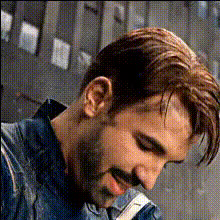
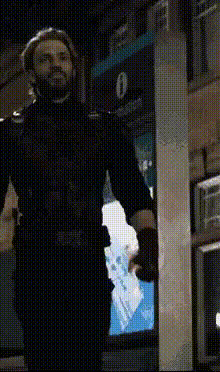
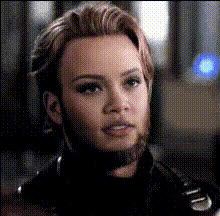
Captain America Holds Helicopter

Magic Hour Profile Picture
by kpop_stan

face-swap

1 clip
52 uses

Any aspect ratio

Tags

movies

Captain America Helicopter Hold – Face Swap Video Template

Overview

Recreate one of the most iconic Marvel action shots with the Captain America Helicopter Hold Face Swap video template on Magic Hour. In a few minutes, you can drop your own face (or a friend’s, teammate’s, or character’s) into the famous scene where Captain America holds a helicopter in place.

This template uses Magic Hour’s powerful AI Face Swap technology and is ideal for:

  • Short-form content creators (TikTok, Reels, YouTube Shorts)
  • Marketing and social teams looking for eye‑catching promo clips
  • Founders and builders creating punchy launch or campaign visuals
  • Fans of the MCU and superhero content who want cinematic memes

You can start from this template or remix it into your own version using:

The Scene: Captain America vs. the Helicopter

The template is inspired by the 2016 film Captain America: Civil War, where Steve Rogers (Chris Evans) stops an escaping helicopter by physically holding it down. The shot has become a staple of MCU highlight reels and superhero meme culture because it compresses the character’s core traits—strength, determination, and sheer absurd power—into a single visual.

The Helicopter

The chopper in the original scene is modeled on an Airbus AS350 “AStar”, a widely used light utility helicopter:

  • Typical maximum takeoff weight: around 2,200–2,800 kg (≈ 4,800–6,200 lbs) depending on configuration
  • Used globally for law enforcement, tourism, EMS, and utility flights

In reality, no human could hold back a lifting helicopter like this—this is firmly in the realm of comic‑book physics—but that exaggeration is exactly what makes the shot so visually satisfying and meme‑able.

How Strong Would Captain America Need to Be?

Fans and physicists have estimated that restraining a helicopter like this would require forces far beyond elite human capacity—likely an order of magnitude stronger than a top strength athlete. Depending on assumptions about lift, leverage, and motion, analyses often put the required force in the several thousand kilograms of equivalent load range.

The important point for your content: this is a visually legible, over‑the‑top feat. It reads instantly on social feeds, even muted and without context, which is why it works so well for:

  • “Impossible task” memes (startup launches, deadlines, fundraising, server load)
  • Transformation edits (“Before coffee vs. after coffee” type jokes)
  • Hero reveal moments in brand or creator clips

How to Use and Remix This Template in Magic Hour

You can either use the ready‑made template or build your own version from scratch by remixing it. Here’s a practical workflow that works well for creators and marketing teams.

1. Prepare Your Face Source

  • Choose a clear, front‑facing photo or frame of the face you want to insert.
  • For best results, pick a face with good lighting, no heavy motion blur, and minimal obstructions (no large sunglasses, etc.).
  • Optionally, enhance the image with:

2. Open the Face Swap Video Creator

Go to the Face Swap Video tool in Magic Hour. You can:

  • Start from the existing Captain America Helicopter Hold template (recommended for speed)
  • Or upload a similar helicopter/“pulling something heavy” clip and turn it into your own variant

Upload your prepared face source. Magic Hour’s AI Face Swap will automatically detect and map the new face to the original performance in the video.

3. Customize for Your Use Case

Depending on your goal, you can tailor the video:

  • Creator / influencer: swap your own face in and add text overlays for punchlines in your editing tool of choice.
  • Startup or product launch: swap in your founder, mascot, or a stylized avatar generated with the Avatar Generator, and add branded captions or CTAs.
  • Team morale / internal comms: swap in a teammate (or your whole leadership team in different versions) for offsites, all‑hands, or Slack memes.

You can also repurpose the output:

4. Add Audio, Dialogue, or Lip‑Sync

Once your face swap is done, you can layer sound and voice to increase engagement:

5. Export and Repurpose Across Channels

Once you’re happy with the result:

  • Export the video and repurpose it for vertical platforms (TikTok, Instagram, YouTube Shorts).
  • Clip still frames and enhance them with the AI Image Editor or Thumbnail Maker for YouTube or blog thumbnails.
  • Upscale and clean the final video for higher‑end uses using the Video Upscaler.

Ideas, Use Cases, and Variations

For Creators and Influencers

  • Relatable struggle memes: “Me holding back my urge to check Twitter,” “Me trying not to refactor legacy code,” etc.
  • Fitness or transformation edits: before/after splits, coach vs. client, or daily training recap with a superhero twist.
  • Crossover content: generate alternate hero personas with the AI Character Generator and face‑swap each one into the scene for a multiverse‑style montage.

For Startups, Product Teams, and Marketers

  • Launch visuals: your product manager or founder “holding back” bugs, downtime, or chaos.
  • Campaigns: use the meme format as a recurring motif across emails, social, and landing pages.
  • Brand storytelling: create an internal “company hero” character with the AI Logo Generator and AI Character Generator, then drop that hero into the helicopter scene and other templates.

Meme and Pop‑Culture Angles

Advanced Remix: Build Your Own “Helicopter Hold” From Scratch

If you want a fully custom superhero clip instead of relying on existing footage, you can chain multiple Magic Hour tools:

  1. Design your hero: Create concept art or a clean hero portrait with the AI Image Generator or AI Photo Generator.
  2. Generate a base scene:
    • Use Image to Video to animate a static hero image into a dynamic action shot.
    • Or start from an existing human performance and rely on Video‑to‑Video to stylize it into a more cinematic or comic look.
  3. Face swap the hero in: Apply the Face Swap Video tool to put your hero’s face into the motion sequence.
  4. Add talking moments or narration: Use AI Talking Photo or Lip Sync for dialogue cut‑ins before or after the helicopter shot.
  5. Finish as a series: Package multiple shots as a short episodic superhero series with different “impossible feats” powered by the same character design.

Best Practices for High‑Quality Face Swaps

  • Use sharp input faces – blurry, noisy or extremely low‑resolution photos reduce realism; enhance them with the AI Image Upscaler.
  • Match general angle and expression – choose a face with a similar head tilt or emotional tone to the original shot for more natural results.
  • Mind lighting and skin tone – consistent lighting across source and target yields more seamless blends.
  • Respect rights and likeness – always ensure you have permission to use the faces you upload, especially for commercial or public campaigns.

Related Magic Hour Tools Worth Exploring

If you like this Captain America helicopter template, these tools pair well with it for building a complete content system:

Why This Template Works

The Captain America Helicopter Hold Face Swap template compresses a recognizable, high‑stakes superhero moment into a flexible storytelling format that you can adapt for:

  • Fast, high‑impact social posts
  • Founders’ storytelling and launch announcements
  • Brand campaigns and community memes
  • Internal morale and culture content

By combining the template with Magic Hour’s Face Swap Video, Lip Sync, Video‑to‑Video, and AI Image Editor, you can turn a single cinematic reference into a reusable, on‑brand content asset for your entire creative pipeline.

More Like This