Overview
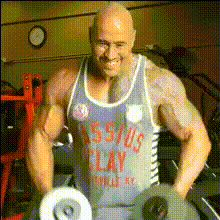
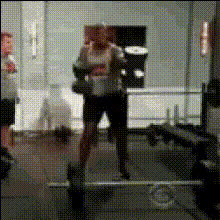
Explore the ultimate demonstration of strength and technique with the "Deadlift" video face swap template. This AI-driven tool enables you to overlay faces onto professional weightlifting footage, creating personalized and engaging video content. See how dedicated lifters conquer gravity in a unique and captivating format.
What It Does
The "Deadlift" template utilizes advanced Video Face Swap technology to replace faces in weightlifting videos. By inputting your chosen face and preferred weightlifting scene, it allows for a seamless integration that maintains the technique and atmosphere of the original footage.
Whether you're showcasing personal fitness highlights or creating motivational content, this tool offers a dynamic way to engage your audience.
Who It's For
The "Deadlift" template is perfect for fitness enthusiasts, trainers, and social media influencers looking to create standout content. It's an excellent choice for personal trainers wanting to illustrate techniques with a personal touch, or for content creators aiming to add a fun twist to instructional videos.
Utilize this opportunity to make your content stand out by leveraging the capabilities of the Face Swap tool.
Summary
Incorporate the strength and determination of professional weightlifting with your own face using the "Deadlift" video face swap template. This template is facilitated by AI Video Generator technology, ensuring high-quality results. Perfect for making engaging and unique social media content.
How-To
Choose Your Template

Customize Your Inputs

Generate Your Video

Use Cases
Fitness Promotions
- Highlight key techniques or workouts
- Add a personal touch with face swaps
Social Media Content
- Create motivational clips
- Use for viral fitness challenges
Personal Milestones
- Celebrate reaching a new personal record
- Share progress with friends and family
Best Practices
Select High-Quality Images
For the best face swap results, use clear and high-resolution images. Make sure the facial expression matches the intended emotion of the original video.Match Lighting and Angles
Try to upload images that match the lighting and angles of the source video for more realistic and cohesive blending.Review and Adjust
Before finalizing, review the swapped video for any misalignments, and adjust parameters as needed for a seamless effect.