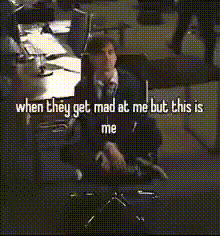
Transform your workday into a comedy show with the "Me whenever my boss tells me to do something at work" meme. This Video Face Swap template lets you create a humorous take on everyday office tasks by swapping faces into classic meme videos. Perfect for bringing some laughter to the team or your social media followers.
What It Does
This template allows you to overlay the facial expressions of your choice onto existing meme videos. By integrating with the AI Video Extender, you can extend the fun or adjust the timing to perfectly match your intended reaction. The resulting video is an engaging way to share your humorous take on work with coworkers or friends.
Who It's For
This tool is ideal for office workers, team leaders, and managers looking to add humor to internal communications. It's also perfect for content creators in need of relevant, funny material for platforms like TikTok and Instagram. With this template, users can easily plug into their creative side, making workplace humor accessible to all.
Summary
Use this video face swap template to spice up your internal communications or social media posts. It's a quick and fun way to craft meme videos that resonate with colleagues and friends. Consider pairing it with the AI GIF Generator for bite-sized sharable content.
How to Use
Create a clever workplace meme with a few simple steps.
01
Choose the Template
Navigate to the Video Face Swap template section to find 'Me whenever my boss tells me to do something at work meme' and open the template.
02
Customize Your Inputs
Select or upload the facial image you want to use for the swap. Optionally, adjust audio or text prompts to fit your scenario.
03
Generate the Video
Click 'Generate' to process your video. Once completed, download your meme video in your preferred format and share it with your audience.
Use Cases
Explore how you can integrate this meme template into daily routines or content strategies.
💼
Internal Communications
Lighten up your next team meeting or internal newsletter with this relatable meme video.
Highlight frustrating tasks humorously
Create a shared team laugh
Encourage feedback in a light-hearted way
📱
Social Media Engagement
Use it to engage your audience with commentary on workplace culture.
Post on TikTok with a catchy caption
Share on Instagram Reels with relevant hashtags
Integrate into Instagram Stories for real-time reactions
🎥
Content Creation
Perfect for video creators looking to add a unique touch to their humor portfolio.
Create series of workplace-themed memes
Collaborate with peers for creative input
Use across multiple platforms for broad reach
Best Practices
Get the most out of your meme creation experience with these tips.
Select High-Quality Photos
Use high-resolution images for better face alignment and video output quality.
Mind Your Audience
Keep the humor appropriate for both work environments and your target audience.
Experiment with Timing
Try varying the meme video length with the Video-to-Video tool to match the humor's impact with your audience.
Related Tools
Explore these tools to expand your creative possibilities.
This template is specifically designed for creating humorous meme videos by swapping faces into existing clips suitable for work-related humor.
Yes, high-quality images are recommended for the best results. Ensure the face is well-lit and clear for optimal swaps.
You can download your meme videos in common formats like MP4, making them easy to share online or add to presentations.
Once downloaded, you can directly upload your video to social media platforms or incorporate it into internal communications such as emails or newsletters.
Upload your face
PNG, JPG
PNG, JPG — drag & drop, click, or paste
More Like This
1
This ain't no mannequin meme
10
"I am not easy to manage" - The Office
3
"WTF am I doing here" - Robert De Niro
8
"Everyone I work with is an idiot" - The Office
4
"If I had to I could clean out my desk in 5 seconds" - The Office