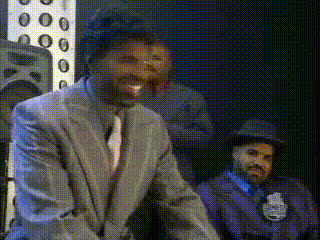
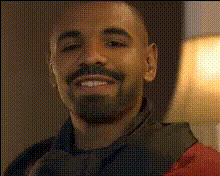
Kunta Kinta - Dave Chapelle

Magic Hour Profile Picture
by kpop_stan

face-swap

1 clip
1 uses

Any aspect ratio

Kunta Kinte – Dave Chappelle Face Swap Video Template

Overview

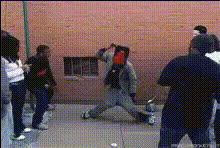
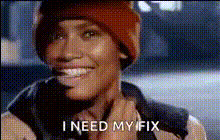
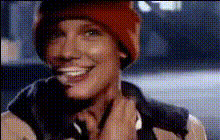
This template lets you recreate Dave Chappelle’s iconic “Kunta Kinte / LeVar Burton” sketch using Magic Hour’s AI Face Swap technology. Swap your own face—or any character’s face—onto Chappelle in the scene, then export a shareable, high-quality clip in minutes.

It’s designed for creators, meme makers, marketers, and developers who want to:

  • Remix a well-known comedy sketch with AI face swap
  • Prototype meme formats and test reactions fast
  • Experiment with character-driven content for social, campaigns, or prototypes

What This Template Does

This template is built on Magic Hour’s Face Swap Video workflow. The base video is a reenactment of Dave Chappelle’s parody of “Roots,” where he appears as Kunta Kinte / LeVar Burton. The template:

  • Includes a pre-aligned performance: expressions, timing, and camera movement are already handled
  • Automatically maps your chosen face onto the main character in the sketch
  • Outputs a ready-to-share clip suitable for social media, presentations, or internal demos

You don’t need to edit frames manually—the Face Swap engine handles alignment, lighting consistency, and motion tracking for you.

How to Remix This Template in Magic Hour

You can create your own version of this template by remixing it with Magic Hour’s Face Swap Video tool:

  1. Open Face Swap Video
    Go to Face Swap Video. This is the main tool used for this template.
  2. Upload or choose your source face
    Use a clear, front-facing photo with good lighting. You can generate or refine a source face beforehand using:
  3. Apply your face to the template video
    Load the Kunta Kinte / Chappelle template video in Face Swap Video. Select your face as the replacement and let Magic Hour process the clip.
  4. Preview and iterate
    Watch the preview. If the identity or style doesn’t feel right, try:
    • A higher-resolution source image (optionally enhanced via AI Image Upscaler)
    • A different expression or angle in your reference photo
  5. Export and repurpose
    When you’re satisfied, export your video. You can further:

Ideas for What You Can Create

Because the structure of the sketch is fixed, you can quickly test different characters, tones, and use cases:

  • Social memes: Swap in founders, fictional characters, or public figures to comment on “historical” startup, tech, or cultural moments.
  • Marketing experiments: Try a brand mascot or spokesperson face to see if the humor resonates with your audience before investing in a full shoot.
  • Creative prototyping: Writers and designers can test how a character’s personality reads when dropped into a strongly defined comedic context.
  • Internal culture content: Swap team members into the sketch for internal-only videos (all with consent). Useful for offsites, all-hands, or team-building.

Context: Chappelle, “Roots,” and Satire

The sketch references Alex Haley’s novel “Roots: The Saga of an American Family” and the landmark 1977 ABC miniseries, in which LeVar Burton played Kunta Kinte. It was later revisited in the 2016 remake. “Chappelle’s Show” used sketches like this to interrogate race, history, and media through dark, often uncomfortable comedy.

If you’re remixing this template, it helps to understand:

  • Historical weight: “Roots” depicted the brutality of transatlantic slavery and had significant cultural impact in the U.S. and beyond.
  • Satirical framing: Chappelle often juxtaposed serious historical material with contemporary celebrity culture to critique how stories are commodified.
  • Audience expectations: Many viewers recognize the original reference. How you cast your face swap (who you put in the scene, and why) will shape how your version is interpreted.

Ethical and Creative Guidelines

Face swap is powerful, and context matters—especially when you’re working with material that touches on slavery, racism, and representation.

  • Get consent where possible: If you are using a non-public individual’s face (team member, friend, client), get clear permission first.
  • Be mindful of targets: Avoid using the template to harass, defame, or misrepresent real people, particularly around sensitive historical topics.
  • Clarify parody: For public clips, consider adding captions or descriptions making it clear that the result is satire / a remix, not archival footage.
  • Aim up, not down: Satire that critiques systems, institutions, or powerful actors tends to land better than content aimed at vulnerable groups.

Advanced Remix Options with Magic Hour

If you want to go beyond a straightforward face swap, you can chain this template with other Magic Hour tools:

Best Practices for Quality and Performance

  • Use high-quality input faces: Clean, sharp images with neutral expressions generally swap best.
  • Match lighting and angle where possible: A face photo shot from a similar angle to the original performance often yields more natural results.
  • Test multiple faces: For campaigns or content tests, try different personas and measure engagement; keep the same template so you’re isolating the face swap as the variable.
  • Optimize for your channel: After export, consider resizing or reformatting for Shorts/Reels/TikTok using your usual workflow.

Related Magic Hour Tools Worth Exploring

If you like this template, you may also want to explore:

Summary

The “Kunta Kinte – Dave Chappelle” Face Swap template gives you a fast, controllable way to experiment with AI-generated parody and character-based content. By leveraging Magic Hour’s Face Swap Video workflow—and optionally combining it with tools like AI Meme Generator, AI GIF Generator, and Video Upscaler—you can go from idea to polished, shareable clip in a few iterations, while staying mindful of context, consent, and tone.

More Like This