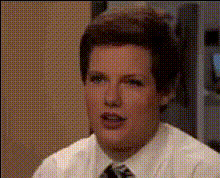
Peeking Boyfriend Meme

face-swap

1 clip
311 uses

Any aspect ratio

Tags

memes

Peeking Boyfriend Meme Template (Face Swap Video)

The Peeking Boyfriend Meme template lets you turn the classic “Distracted Boyfriend” meme into a short, shareable video using AI face swap. Swap in your own face (or a friend’s, a character, or a brand mascot) and instantly get a high‑quality meme video you can post to TikTok, Reels, YouTube Shorts, or Twitter/X.

This template is built with Magic Hour’s AI Face Swap engine and is available as a ready‑to‑use Face Swap Video template. You can also remix it into your own custom meme format in a few clicks.

What Is the Peeking / Distracted Boyfriend Meme?

The meme—often called “Distracted Boyfriend” or “Man Looking at Other Woman”—comes from a 2015 stock photo by photographer Antonio Guillem, originally captioned “Disloyal man with his girlfriend looking at another girl” on iStock. It went viral around 2017 and has since been used to illustrate:

  • Distraction vs. focus (e.g., “me” vs. “my responsibilities” vs. “a new side project”)
  • Temptation, switching loyalties, changing preferences
  • Tech, startup, or product trades (e.g., “old tool” vs. “shiny new SaaS”)

Because the structure is simple (three characters, three labels), it’s become a staple in marketing, politics, startup culture, and social commentary. You can find documented history and popular variants in meme databases like KnowYourMeme and in coverage by outlets such as The Guardian and The New York Times.

Why Use an AI Face Swap Version?

Static images are limiting. Video memes perform better on social platforms and feel more personal when your own face or character is inside the scene. With AI face swapping, you can:

  • Put yourself or your team into the meme for pitch decks, internal presentations, or launch announcements
  • Turn your brand mascot or avatar into the boyfriend, girlfriend, or “temptation” character
  • Localize or personalize for different markets, audiences, or campaigns without reshooting
  • Generate multiple variants from the same base template for A/B testing and content calendars

The template uses the same engine that powers Magic Hour’s Face Swap GIF and AI Face Editor, so it’s optimized for facial alignment, expressions, and motion consistency.

How to Remix This Template in Magic Hour

You can start from the Peeking Boyfriend Meme preset, or build your own version by remixing it with other Magic Hour tools. A typical workflow:

  1. Start from a Face Swap Video template
    Open the Face Swap Video creator and choose the Peeking Boyfriend Meme (or a similar three‑character meme layout). This gives you a pre‑animated video with clear roles: boyfriend (the “distracted” one), girlfriend (the “current focus”), and passer‑by (the “shiny new thing”).
  2. Upload or choose source faces
    Prepare the faces you want to swap in: Then use the face swap step to map each face onto the corresponding character in the meme video.
  3. Add your meme text and labels
    Most impactful versions label:
    • Boyfriend: the person / brand / user that is “distracted”
    • Girlfriend: the existing tool, behavior, product, or commitment
    • Passer‑by: the new temptation (your product, idea, trend, or alternative)
    Add text overlays directly in the template editor so the labels stay readable on mobile. Short, high‑contrast captions tend to work best.
  4. Refine visuals for clarity
    For stronger results, you can: These steps are optional, but helpful if you’re repurposing the meme for ads or paid campaigns.
  5. Export and repurpose for different channels
    Once exported, you can:
    • Clip the video into shorter segments using Image to Video if you want different entry points for TikTok vs. LinkedIn
    • Convert a key frame into an image meme via the AI Image Generator, then re‑share as a static meme alongside the video
    • Generate GIF versions using the AI GIF Generator for Slack, Discord, or email campaigns

Advanced Remix Ideas for Creators & Marketers

If you’re running campaigns, building a brand, or publishing content at scale, you can use this template as a building block in a larger system of memes and shorts.

  • Product launches & feature reveals
    Make the “boyfriend” your existing users, the “girlfriend” your current feature set, and the passer‑by your new feature. Release a sequence of Peeking Boyfriend variants over a launch week, each focusing on a different use case.
  • Competitor comparison memes
    Represent your competitor as the “girlfriend” and your product as the passer‑by (or vice versa). Use subtle branding and visual cues rather than logos to keep it playful and shareable.
  • Team culture & recruiting
    Swap in real teammates using the AI Headshot Generator or AI Selfie Generator, then caption with inside jokes about tech stacks, frameworks, or work habits. Great for LinkedIn, careers pages, and engineering blogs.
  • Multi‑format storytelling
    Combine this template with:
    • Lip Sync to add voice‑over or dialog to the boyfriend character
    • Video‑to‑Video to restyle the scene (e.g., cyberpunk, anime, Disney‑style) while preserving the meme layout
    • Animation templates for follow‑up scenes that show “what happens next” after the glance
    This turns a one‑off meme into a mini‑series.
  • Branded visual language
    Generate on‑brand scenes and characters with tools like the AI Art Generator, AI Logo Generator, or Album Cover Generator, then reuse those assets across multiple meme templates, shorts, and landing pages.

Best Practices for High‑Impact Peeking Boyfriend Memes

  • Keep the mapping simple
    People should understand who is who in under one second. Use short labels (1–3 words) and avoid cluttering the frame with too many text boxes.
  • Align with platform behavior
    On TikTok or Reels, consider adding a quick intro card or closing CTA (“Follow for more startup memes”). On LinkedIn, lean into B2B angles (tools, frameworks, KPIs, roadmaps).
  • Test multiple interpretations
    The same structure can express:
    • Old vs. new tools
    • Bad habits vs. good habits
    • Short‑term vs. long‑term thinking
    Generate a few versions and see what resonates before you put spend behind any one meme.
  • Respect likeness and IP
    When swapping in recognizable faces (celebrities, public figures, or coworkers), ensure you have the right to use their likeness. This is especially important for paid campaigns, commercial work, and public brand assets.

Related Magic Hour Tools to Explore

Once you’re comfortable with the Peeking Boyfriend template, you can expand your meme toolkit with other Magic Hour products:

Using This Template as a Base for Your Own System

The real value of a template like the Peeking Boyfriend Meme isn’t the one‑off post—it’s the repeatable pattern. Once you have a workflow inside Magic Hour, you can:

  • Document a simple internal “meme spec” (who is boyfriend/girlfriend/passer‑by for your product)
  • Batch‑create weekly or monthly meme drops with different face swaps and captions
  • Localize memes for different regions by swapping faces and language, while keeping the same core structure
  • Feed performance data back into your content strategy—testing faces, labels, and visual styles at low cost

Start from the Peeking Boyfriend template in the Face Swap Video creator, remix it with tools like Video‑to‑Video, AI Image Editor, and AI GIF Generator, and you’ll have a flexible, reusable meme engine for campaigns, content, and experimentation.

More Like This