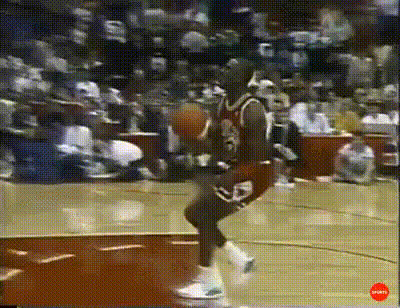
Michael Jordan - Get Some Help
face-swap
Any aspect ratio
Tags
memesMichael Jordan “Stop It. Get Some Help” Face Swap Video Template
Overview
Turn the classic Michael Jordan “Stop it. Get some help” PSA into a personalized meme with Magic Hour’s Face Swap video template. This template lets you instantly put your own face (or any face you choose) onto Jordan’s, creating high-impact, shareable clips for social media, marketing, or internal team jokes.
Built on Magic Hour’s AI Face Swap technology, this template is ideal for creators, marketers, and startup teams who want to react to bad takes, questionable decisions, or wild product ideas with a single, instantly recognizable video.
What This Template Is Based On
The line “Stop it. Get some help.” comes from a late-1980s anti-drug PSA featuring Michael Jordan, produced in partnership with the Partnership for a Drug-Free America. Decades later, short clips of this PSA went viral on YouTube, Twitter/X, Reddit, and TikTok, becoming a staple reaction meme used to playfully call out:
- Overly dramatic hot takes
- Chaotic product ideas or UI decisions
- Degenerate trading / gambling screenshots
- Cringe marketing or ad campaigns
By combining this cultural context with high-quality AI face swap, Magic Hour lets you turn a well-known meme into a custom asset that fits your brand, persona, or campaign.
Key Features
- High-quality AI face swap – Automatically map your face onto Michael Jordan’s head with realistic lighting and motion using Magic Hour’s Face Swap Video tool.
- Works with photos or existing avatars – Start from a selfie, a professional headshot, or an AI-generated character from tools like the Avatar Generator or AI Character Generator.
- Green‑screen compatible – Use the template as-is or combine it with a keyed or replaced background using Magic Hour’s AI Image Editor or Background Remover for thumbnails and supporting visuals.
- Short-form ready – Optimized for TikTok, Reels, YouTube Shorts, Twitter/X, Slack clips, and internal decks.
- Shareable meme format – Uses a familiar meme structure that audiences immediately understand, which drives engagement and watch-through.
How to Remix This Template in Magic Hour
You can recreate or customize your own “Stop it. Get some help” clip by combining Magic Hour tools. A common workflow:
- Start from the Face Swap template
Open the Michael Jordan template in Magic Hour’s Face Swap Video creator. - Upload your face (or another character)
Use a clear front-facing image. If you don’t have one, generate a character first with:- Avatar Generator – branded avatars for teams and founders
- AI Anime Generator – anime-style reaction characters
- AI Face Generator – realistic synthetic faces
- Apply the face swap
Let Magic Hour automatically align, track, and blend your face into the video so it matches Jordan’s expressions, angles, and head movement. - Export and reuse everywhere
Download the final clip and repurpose it in:- Social posts, replies, and quote tweets
- Slide decks (as an embedded video or GIF)
- Slack / Discord reactions
- Internal training or onboarding decks
Advanced Remix Ideas for Power Users
If you want to go beyond a simple face swap, combine this template with other Magic Hour tools:
- Turn it into a lip‑synced reaction
Replace or sync the original audio with a custom line (e.g., “Stop shipping that to prod. Get some help.”) by pairing your output with:- Lip Sync – match the mouth to new voiceovers
- AI Voice Generator or Voice Cloner – generate or clone a voice, then lip‑sync Jordan to it
- Create animated variants
Turn the same idea into a stylized or cartoon alternative:- Generate a cartoon or manga version with AI Manga Generator or Disney‑style Generator
- Animate the character with Animation or Animated Characters Generator
- Upgrade quality and format
Prepare the clip for campaigns or paid media:- Sharpen and enhance with Video Upscaler
- Create a related GIF with AI GIF Generator or Face Swap GIF
- Generate matching cover images and thumbnails via Thumbnail Maker or Album Cover Generator
Use Cases for Creators, Marketers, and Teams
- Social media & community
Respond to wild takes, spammy DMs, or “we pivoted again” announcements with a customized Jordan reaction to drive replies and reposts. - Product & startup storytelling
Use the meme to highlight:- Before/after states (“Old workflow: Stop it. Get some help. New workflow: 2 clicks.”)
- Anti-patterns your tool solves (manual reporting, copy-paste ops, risky deploys)
- Internal culture & onboarding
Add the video to internal docs or all-hands slides to gently call out bad habits (no tests, no backups, shipping on Friday). - Campaigns & paid ads
Use the meme cold-open to hook viewers, then cut into a product demo created with:
Tips for Better Results
- Use a clear, well-lit source face – Frontal or near-frontal faces with unobstructed features (no heavy sunglasses, minimal motion blur) produce the most natural swaps.
- Match expression and angle where possible – If you have options, pick a source photo with a similar head angle and neutral or slightly expressive face.
- Think about identity and brand – Swap in:
- Your founder or spokesperson
- A recurring brand mascot generated via AI Logo Generator or Character Generator
- An internal “meme character” for your team or community
- Pair with strong thumbnail and title – Use Thumbnail Maker and AI Art Generator to design scroll-stopping covers for YouTube or LinkedIn.
Related Magic Hour Tools for Meme & Reaction Content
If you like this template, you can build an entire meme and reaction asset stack in Magic Hour:
- AI Meme Generator – Turn your “Get some help” moment into static image memes and carousels.
- AI Talking Photo – Make still images or headshots deliver short reaction lines on camera.
- AI GIF Generator – Create looping reaction GIFs for Slack or Discord.
- Auto Subtitle Generator – Add captions automatically for better engagement and accessibility.
Why Use Magic Hour for Face Swap Memes?
Magic Hour is built for creators, marketers, and product teams who need to ship fast without sacrificing quality. With specialized tools for face swap, text-to-video, and image generation, you can go from idea to fully branded meme video in minutes, not hours.
Remix this Michael Jordan “Stop it. Get some help” template, adapt it to your voice, and reuse it across campaigns and channels as a flexible, high-signal reaction asset in your content stack.