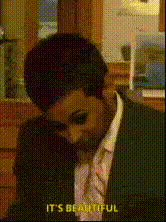
Meredith Car Accident - The Office
face-swap
Any aspect ratio
Tags
memesMeredith Hit by Michael’s Car – The Office Face Swap Template
Turn an Iconic Office Moment Into Your Own Meme-Ready Clip
This template lets you step into one of the most unforgettable cold opens in TV comedy: the scene where Michael Scott hits Meredith with his car in The Office (Season 4, Episode 1, “Fun Run”). Using Magic Hour’s AI-powered Face Swap, you can instantly replace characters’ faces in the clip to create personalized, shareable video content for social, campaigns, or just for fun.
What This Template Does
The “Meredith Car Accident – The Office” template is a pre-set Face Swap project built on Magic Hour. It:
- Loads a recreation of the famous “Michael hits Meredith” moment as the base video.
- Lets you swap Michael Scott’s face (or other characters) with your own, your team, a client, or a fictional character.
- Outputs a short, high-impact clip ideal for TikTok, Reels, YouTube Shorts, Slack channels, and internal memes.
It uses the same underlying tech as Magic Hour’s core AI Face Swap product, so you get realistic lighting, expression matching, and motion consistency without manual editing.
The Scene: Why This Moment Works So Well
In “Fun Run,” Michael Scott becomes convinced the office is cursed after a string of mishaps. On his way into work, he accidentally hits Meredith Palmer with his car in the parking lot. This moment:
- Combines shock and physical comedy, driven by Steve Carell’s performance.
- Sets up the entire “Rabies Awareness Fun Run” storyline that opens Season 4.
- Has become a widely referenced pop-culture moment, frequently remixed, GIF’d, and memed across Reddit, X, and TikTok.
Because it’s short, visual, and instantly recognizable, it’s a perfect anchor for face-swap, meme, and reaction content.
How to Remix This Template in Magic Hour
You don’t need editing skills to make this your own. Here’s how to create your own version using Magic Hour’s tools:
- Open the Face Swap Creator
Go to the Face Swap Video creation page. This is where you’ll select and remix templates based on existing video scenes. - Select the “Meredith Car Accident – The Office” template
Choose the template from the template gallery. This loads the Office scene as your base project, ready for face swapping. - Upload the face (or faces) you want to insert
Add a clear front-facing image of:- Yourself (e.g., “What if I hit Meredith?”)
- A teammate or your founder (great for startup memes and internal Slack jokes)
- A fictional character or avatar created with tools like Avatar Generator or AI Character Generator
- Choose which characters to swap
You can:- Swap Michael Scott’s face with yours.
- Swap Meredith’s face with a friend, your boss, or a mascot.
- Create multiple versions with different swaps for A/B testing on social.
- Generate and export
Once the swap is applied, preview your clip, then export your video file. It’s immediately ready to post on TikTok, Instagram Reels, YouTube Shorts, or as a GIF (using AI GIF Generator or Face Swap GIF).
Use Cases for Creators, Marketers, and Teams
- Social content & memes – Turn your founder, host, or brand mascot into Michael Scott, then share as part of Office-themed content, reaction posts, or trend-jacking campaigns.
- Internal team culture – Swap your CEO into Michael’s role and colleagues into Meredith, Jim, or Dwight, then share in Slack/Teams for onboarding, offsites, or all-hands icebreakers.
- Creator channels – Add yourself into famous TV scenes as part of a running bit on your channel, combining this template with other tools like AI Talking Photo or Text-to-Video for recurring series.
- Fan edit compilations – Use this alongside other AI edits, like generating Office-style images with the AI Image Generator or turning stills into motion with Image-to-Video.
Advanced Remix Ideas with Other Magic Hour Tools
Once you’ve generated the base face-swap clip, you can stack other Magic Hour tools to build more complex edits:
- Turn your clip into an animated short using Animation Templates or the Animated Characters Generator to reinterpret the scene in a cartoon style.
- Stylize still frames from the video via the AI Image Editor or AI Art Generator, then reanimate them with Image-to-Video.
- Create Office-themed avatars through the Avatar Generator or AI Headshot Generator, and then swap those avatars into the scene.
- Make a reaction or commentary version by pairing your face-swapped clip with an AI-generated voiceover using AI Voice Generator or AI Voice Cloner.
Best Practices for High-Quality Face Swaps
- Use sharp, well-lit source photos – Avoid heavy motion blur, extreme angles, or dark lighting. Magic Hour’s model performs best with clearly visible facial features.
- Match expression and angle when possible – If you can, pick a source photo where your face direction roughly matches Michael’s in the video for more natural results.
- Consider upscaling for final delivery – After generating your clip, run it through Video Upscaler for higher resolution versions suitable for YouTube or high-quality campaigns.
- Test multiple variants – For performance campaigns, generate a few face-swap variants (different faces, characters, or team members) and test engagement metrics on your primary channels.
Related Templates and Tools to Explore
- Face Swap Video Templates – Swap yourself into other iconic scenes and trending clips.
- Lip Sync Templates – Make characters or colleagues lip-sync to trending audio or quotes from The Office.
- Video-to-Video – Restyle live-action scenes into new aesthetics while keeping motion and timing.
- AI Meme Generator – Turn stills from your Meredith car accident clip into captioned memes.
Why Use Magic Hour for Office-Themed Edits?
Magic Hour is built for creators, marketers, and teams who need fast, high-quality, and repeatable content workflows. By combining:
- AI Face Swap for character replacement,
- Image and video generation via tools like AI Image Generator and Text-to-Video,
- Enhancement utilities including Image Upscaler, Unblur Image, and Image Background Remover,
you can go from idea → face-swapped TV scene → polished, on-brand content in a single workflow.
Create Your Version of the Meredith Car Accident Scene
To build your own version of this template:
- Go to Face Swap Video.
- Select the “Meredith Car Accident – The Office” template.
- Upload your face (or your team’s), choose who replaces Michael and Meredith, and generate.
- Optionally enhance, upsize, or meme-ify the output with other Magic Hour tools.
In a few clicks, you’ll have a customized, high-quality edit of one of TV’s most iconic comedy moments—ready for your audience, team, or community.