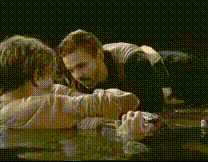
I'm flying, the Titanic
face-swap
Any aspect ratio
Tags
movies“I’m Flying, the Titanic” – AI Face Swap Video Template
Turn an Iconic Movie Moment Into a Custom Face Swap Video
“I’m Flying, the Titanic” is an AI-powered face swap video template on Magic Hour that lets you place any face into a cinematic, Titanic-inspired flying scene. It’s built for creators, marketers, and founders who want fast, high-impact video content without a full production team.
Use this template to make:
- Short-form social content for TikTok, Reels, and YouTube Shorts
- Fun promo clips for product launches or campaigns
- Personalized birthday, anniversary, or fan edits
- Meme-style videos that remix a recognizable movie moment
This template is powered by Magic Hour’s Face Swap Video system and the underlying AI Face Swap technology.
What Is AI Face Swap — and Why It Matters for Creators
AI face swapping uses deep learning models (often based on encoder–decoder or diffusion architectures) to replace a face in a video with another face while preserving:
- Head pose, gaze, and expressions
- Lighting and shadows
- Scene motion and camera movement
On Magic Hour, this lets you:
- Turn a stock or template clip into a personalized hero shot
- Localize content by swapping in regional ambassadors or influencers
- Prototype ad concepts and A/B test talent quickly, without reshoots
- Generate social-native video variations from a single master template
For more technical or custom use cases, you can combine Face Swap with:
- AI Image Generator – design the character’s look before swapping
- AI Image Editor – refine or clean up source photos
- AI Image Upscaler – upgrade low-res faces for cleaner swaps
- AI Face Generator – create synthetic, rights-safe faces
Inside the “I’m Flying, the Titanic” Template
This template reimagines an instantly recognizable Titanic-style “I’m flying” shot as a reusable, face-swappable video scene. Instead of having to recreate a ship, crane, and ocean backdrop, you plug in your subject’s face and let Magic Hour do the rest.
Core Elements
- Cinematic Movie Scene
A highly polished, movie-inspired scene with dramatic lighting and composition, designed to look great on both mobile and desktop. - Flying Pose
The lead character stands in a classic “arms out” flying stance, ideal for emotional, romantic, or humorous edits. - Face-Swappable Lead Character
The primary character has been framed and staged specifically for clean, high-quality face swaps across many different faces and styles. - Flexible Format
The template supports any aspect ratio, making it easy to deploy on TikTok, Instagram, X, YouTube, or as a hero element on a landing page. - Reusable Clip
The scene is designed as a single master clip you can reuse in dozens of videos, with different faces, overlays, and contexts.
It’s tagged under movies, making it easy to pair with other cinematic content or build a movie-themed campaign using Magic Hour.
How to Remix This Template in Magic Hour
You can either use “I’m Flying, the Titanic” as-is or treat it as a blueprint for your own face swap template. Here’s how to create your own version step by step.
1. Start From a Face Swap Video Workflow
Open the Face Swap Video creator. This gives you the core pipeline you need: input video or template + target face(s) → rendered face-swapped clip.
2. Choose or Upload Your Base Clip
You have two options:
- Use the existing Titanic-style scene (if you’re starting from this template within Magic Hour) and just swap the face.
- Create your own “I’m flying” variant:
- Upload a short clip that has a clear, front-facing or three-quarter view of the subject.
- Aim for steady camera movement and consistent lighting for the best swap quality.
3. Prepare Your Face Source
For clean swaps, start with a high-quality, well-lit face image. You can:
- Upload a headshot or selfie
- Generate a synthetic face with the AI Face Generator
- Refine a photo using the Unblur Image and AI Image Upscaler
- Create a stylized or animated character face with:
4. Run the Face Swap
Use the AI Face Swap engine to map your chosen face onto the lead character in the Titanic-style scene. The system automatically handles:
- Expression matching (smiles, surprise, etc.)
- Head angle and motion
- Lighting consistency with the environment
Once rendered, you’ll have a finalized clip with your subject “starring” in the movie-inspired flying moment.
5. Customize and Extend
To turn this into a fully branded or narrative asset, you can:
- Chain into other Magic Hour workflows:
- Add synchronized speech with Lip Sync and AI Talking Photo
- Transform the clip’s style or motion using Video to Video
- Create looping teaser GIFs with AI GIF Generator or Face Swap GIF
- Build a character system:
- Generate consistent avatars with the Avatar Generator
- Create full-body looks with the Full Body Generator and AI Clothes Changer
- Produce series content:
- Use multiple face-swapped scenes and link them into a short narrative using Animation or Text to Video.
Use Cases for Teams and Creators
The “I’m Flying, the Titanic” template is more than a one-off meme. It’s a pattern you can reuse across campaigns and verticals:
- Marketing & Growth
- Run multi-variant ads by swapping in different personas or influencers.
- Create region-specific creatives with localized faces and captions.
- Pair with AI Voice Generator and AI Voice Cloner to fully personalize the message.
- Creators & Influencers
- Drop “you in the movie” content for fans and patrons.
- Create reaction or duet-style edits where both you and a guest appear in the scene.
- Turn moments into looping memes with AI Meme Generator.
- Startups & Product Teams
- Prototype brand characters and mascots with AI Character Generator and place them into cinematic shots.
- Create quick hero visuals for landing pages or pitch decks using Thumbnail Maker and Album Cover Generator.
- Events & Personalized Content
- Generate one-click “you are in the movie” keepsakes for weddings, conferences, or fan events.
- Bundle face-swapped clips with AI Headshot Generator output for professional yet playful campaigns.
Creative Variations and Advanced Remixes
Once you have your flying Titanic-style scene working, you can push it further:
- Change the visual style with:
- AI Art Generator for painterly versions
- Comic Book Generator for graphic-novel looks
- Dark Fantasy AI for moody, atmospheric reinterpretations
- Re-theme the environment using:
- AI Background Generator for new skies, cities, or planets
- Architecture Generator for alternate ships, castles, or futuristic decks
- Image Background Remover to isolate characters and composite them elsewhere
- Turn it into a series:
- Use Video to Video to generate multiple stylized takes (e.g., anime, noir, 2D animation) of the same shot.
- Chain scenes using Video Upscaler and Auto Subtitle Generator for polished, multilingual outputs.
Best Practices for High-Quality Face Swap Videos
To get professional-looking results from this template:
- Use clear, forward-facing faces with good lighting and minimal obstructions (no heavy sunglasses or masks).
- Match the vibe of the scene – serious, romantic, comedic, or surreal – with your overlays, captions, and music.
- Respect rights and consent:
- Only use faces you have permission to use (your own, team members, licensed talent, or synthetic faces).
- Avoid misleading or deceptive representations in commercial contexts.
- Polish your final export with:
- Video Upscaler to boost resolution
- Watermark Remover or Object Remover for distracting elements in supporting imagery
Share, Test, and Scale
Once your “I’m Flying, the Titanic” variation is ready:
- Test multiple faces and captions to see what resonates with your audience.
- Cut shorter vertical clips tailored to specific platforms.
- Bundle face-swapped clips with assets from:
- Book Cover Generator for story-based campaigns
- AI Icon Generator and AI Logo Generator for brand systems
- AI QR Code Generator to drive traffic from video to product pages
Why Use This Template as Your Starting Point
“I’m Flying, the Titanic” gives you a ready-made, cinematic testbed for AI face swap content:
- It’s a single, high-impact shot you can reuse across dozens of campaigns.
- It’s optimized for clear, stable face swapping.
- It’s flexible enough to become romantic, comedic, ironic, or epic depending on voiceover and text.
From there, you can evolve it into your own branded template, or use it alongside other tools like AI Selfie Generator, Photo Colorizer, and Thumbnail Maker to build a complete, on-brand video funnel powered by AI.
Start from the Face Swap Video creator, plug in your subject’s face, and you’ll have your own “I’m Flying, the Titanic” moment ready to share in minutes.